How to Get a Cinematic Look on Your Phone: The 2026 Creator’s Guide
Your smartphone is a sleeping giant, but right now, it’s probably stuck in “home movie” mode. It’s frustrating when you try to get cinematic look on phone only to end up with footage that feels too sharp, digital, and jittery. You’ve likely noticed those blown-out highlights or that generic 16:9 aspect ratio that just doesn’t feel like a movie. You want that buttery motion blur and those iconic horizontal lens flares that make viewers forget you didn’t use a Hollywood rig.
We agree that your creative vision shouldn’t be limited by a sensor size. This 2026 creator’s guide is your roadmap to professional-grade production. We’ll show you exactly how to transform ordinary mobile clips into high-end cinematic masterpieces. It’s about more than just hitting record; it’s about taking total control of your optics and light to achieve results that were once reserved for big-budget studios.
We’ll dive into the essential gear and techniques you need to succeed. You’ll learn how to master manual exposure, achieve natural motion blur with magnetic ND filters, and use 1.55x anamorphic lenses to capture that true wide-screen aesthetic. Let’s turn your phone into a professional cinema camera.
Key Takeaways
- Understand why 24fps is the cinematic gold standard and how to configure your device for this classic storytelling rhythm.
- Apply ND filters to master the 180-degree shutter rule and get cinematic look on phone with natural motion blur in any lighting.
- Unlock the “Holy Grail” of cinematography by using anamorphic lenses for true widescreen aspect ratios and iconic blue flares.
- Eliminate distracting color shifts by using professional manual apps to lock your white balance and exposure settings.
- Assemble a high-performance mobile cinema rig with magnetic filter mounts and specialized optics to elevate your production value.
What Defines the Cinematic Look on a Smartphone?
Most creators think a simple filter is enough to transform their footage. It isn’t. To truly understand What Defines the Cinematic Look, you have to look past the software. True cinema is a deliberate combination of frame rate, motion blur, and aspect ratio. Standard mobile footage often suffers from the “digital look.” It’s characterized by artificial sharpness and jittery movement. High-end film has texture. It has a specific rhythm that feels more like a dream than a live broadcast. To get cinematic look on phone, you must move beyond the factory settings and start making intentional creative choices.
Depth of field is your most powerful tool for directing the viewer’s eye. On a phone, everything is often in focus at once. This makes the image look flat and generic. Cinematic storytelling uses selective focus to highlight what matters. By controlling your depth of field, you create a visual hierarchy. You tell the audience exactly where to look. This separation between the subject and the background is what gives professional footage its three-dimensional feel.
The 24fps Standard and Why It Matters
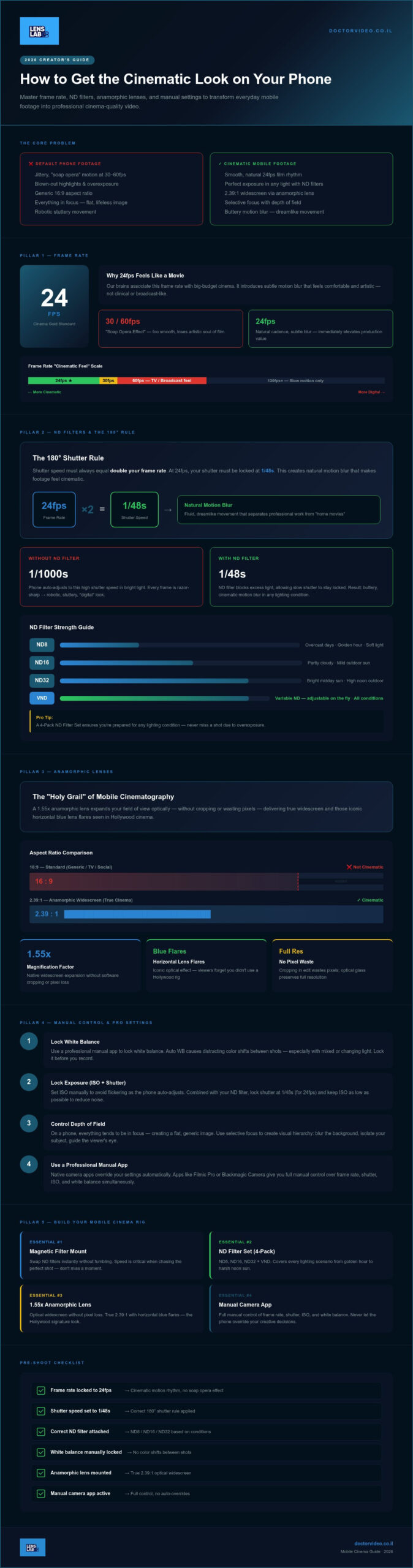
The industry standard for storytelling is 24 frames per second (fps). This specific rate creates a natural motion cadence that our brains associate with big-budget movies. If you shoot at 30fps or 60fps, you run into the “soap opera effect.” The movement becomes too smooth and clinical. It loses the artistic soul of a movie. To get cinematic look on phone, you must lock your frame rate at 24fps before you hit record. This single change immediately elevates the feel of your project. It introduces a subtle motion blur that feels comfortable and professional to the human eye.
Aspect Ratio: Breaking the 16:9 Barrier
Standard 16:9 video feels generic. It’s the ratio of social media and television. If you want an epic feel, you need to break into the 2.39:1 widescreen world. This wider perspective changes the emotional impact of your shots. It allows for grander landscapes and more sophisticated compositions. While some creators just add black bars in an editing app, this isn’t ideal. Cropping your video wastes valuable pixels and reduces quality. True cinematic creators use specialized optics to achieve a native widescreen look. This expands your field of view without sacrificing resolution. It makes every shot feel like it belongs on a theater screen rather than just a mobile device.
Mastering Light and Motion with ND Filters
If you want to get cinematic look on phone, you have to respect the 180-degree rule. This is the gold standard of professional filmmaking. It dictates that your shutter speed should always be double your frame rate. If you’re shooting at the cinematic standard of 24fps, your shutter speed must be locked at 1/48. On a bright afternoon, this creates a massive problem. Your phone’s sensor is flooded with light, resulting in a completely white, overexposed image. You can’t just lower the ISO or change the aperture on most mobile lenses to fix this. You need a physical solution to control the light hitting the sensor.
Think of ND filters for cinematic motion blur as high-end sunglasses for your camera. They reduce the intensity of light without affecting color or clarity. This allows you to keep your shutter speed at 1/48 even in direct sunlight. You have two main choices: fixed ND filters or Variable ND (VND) filters. Fixed filters offer the best optical purity and consistency. VND filters provide convenience, allowing you to twist the rim to adjust light reduction on the fly. Both are essential tools for any creator who refuses to let the sun dictate their settings.
Solving the ‘Choppy Video’ Problem
Standard phone footage often looks jittery and “digital” because the shutter speed is too high. Without a filter, your phone might jump to 1/1000 to compensate for brightness. This makes every frame too sharp, creating a robotic, stuttery motion. By using an ND filter to force a lower shutter speed, you introduce natural motion blur. This blur is what makes movement feel fluid and dreamlike. It’s the secret sauce that separates a “home movie” from a professional production. Every step your subject takes or every pan of the camera will suddenly feel smoother and more intentional.
Choosing Your Filter Strength
Different lighting environments require different levels of light reduction. An ND8 filter is perfect for overcast days or the soft light of golden hour. When you’re shooting in harsh, midday sun, you’ll need the power of an ND16 or ND32 filter to maintain your exposure. For maximum flexibility, a 4-Pack ND Filter Set ensures you’re prepared for any condition the day throws at you.
Speed is everything when you’re chasing the perfect shot. You don’t want to miss a moment because you’re struggling with screw-on threads. Using a JJC Magnetic Lens Filter Mount Adapter for iPhone allows you to swap filters in seconds. You can transition from a dark forest to a bright field without breaking your creative flow. If you’re ready to elevate your work, investing in a reliable magnetic system is the most impactful hardware choice you can make. It’s a simple upgrade that delivers immediate, professional results.
The Optical Advantage: Using Anamorphic Lenses
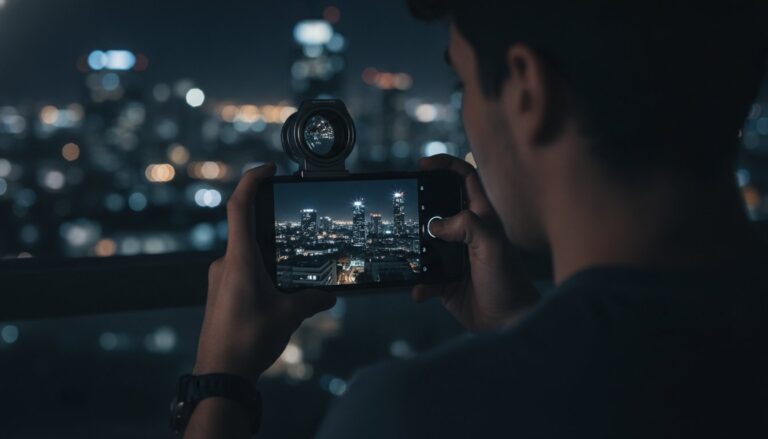
Your phone’s native lens is designed for reality. Anamorphic optics are designed for cinema. For decades, anamorphic lenses were the exclusive tools of the Hollywood elite. They provided that ultra-wide 2.39:1 aspect ratio without losing vertical resolution. Today, you don’t need a studio budget to access this signature look. A specialized smartphone anamorphic lens allows you to capture more of the scene by optically squeezing the image onto your sensor. This isn’t a digital trick or a simple crop. It’s a physical transformation of light that helps you get cinematic look on phone instantly.
The magic happens in the de-squeezing process. When you record through an anamorphic lens, the raw footage looks narrow and distorted. Using a manual camera app, you expand that image back to its intended width. This process creates a unique aesthetic that software simply cannot replicate. You gain a massive field of view while maintaining a shallow depth of field. It makes your mobile projects feel expensive and expansive. It’s the difference between a standard recording and a true motion picture.
The 1.55x Blue Anamorphic Look
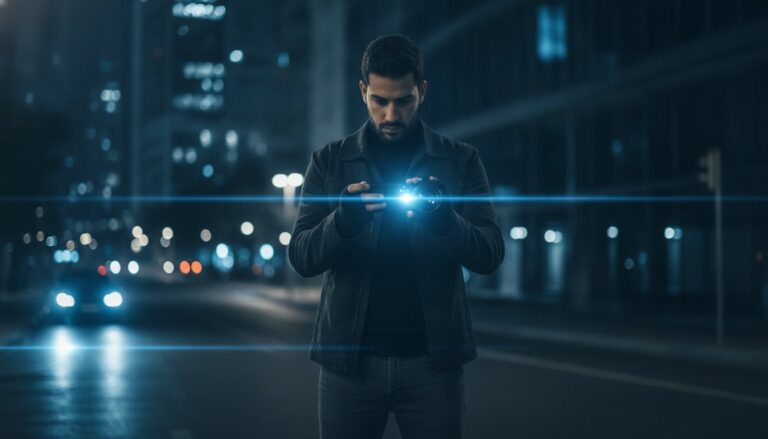
The PRO 1.55X BLUE ANAMORPHIC LENS FOR SMARTPHONE is the ultimate tool for this transition. It provides a more aggressive squeeze than standard 1.33x lenses, resulting in a wider, more dramatic frame. One of the most sought-after features is the horizontal blue lens flare. These flares react dynamically to light sources, stretching across the frame just like they do in classic sci-fi and action films. You also get oval-shaped bokeh in the background. While standard lenses produce circular blur, the anamorphic squeeze turns light points into elegant ovals. This creates a sense of scale and artistic depth that makes your footage stand out on any platform.
Lens Maintenance for Sharp Footage
Optical quality depends on absolute cleanliness. A single fingerprint or a speck of dust can turn a beautiful lens flare into a muddy mess. It can also cause unwanted haze that kills your contrast. To keep your images crisp, you need a dedicated smartphone lens cleaning kit. Use a gentle Lens Cleaning Spray and a microfiber cloth to wipe away oils before every session. Make it a habit. Clean your lens every time you mount it. This simple step ensures that your specialized optics perform at their peak, delivering the professional clarity your audience expects.
Pro Settings: Taking Manual Control of Your Phone
Your phone’s native camera app is designed to make every shot look “good” by making safe, automated choices. For a creator, this is a disaster. To truly get cinematic look on phone, you need to strip away the automation. Native apps often shift exposure or white balance mid-shot, which instantly screams “mobile video.” You need a professional interface. Download a manual camera app like Blackmagic Cam or FiLMiC Pro. These tools unlock the granular control required for high-end production. They allow you to treat your smartphone like a professional cinema rig.
Consistency is the foundation of the film look. Follow this checklist before every take:
- Lock your White Balance: Auto white balance causes distracting color shifts as you move. Set it to a fixed Kelvin value for a consistent temperature throughout the scene.
- Set Shutter Speed: Lock this at 1/48 (for 24fps) or 1/50. This maintains the natural motion blur we discussed earlier.
- Lower your ISO: High ISO introduces digital noise that looks “grainy” in a bad way. Keep your ISO at the lowest possible setting. Use your ND filters to manage brightness instead of letting the ISO climb.
- Switch Optics: Use a wide angle lens for phone to capture immersive establishing shots that define your environment.
Locking Focus and Exposure
Auto-focus is the enemy of cinematic storytelling. It “hunts” for subjects, creating distracting pulses in the image. Switch to manual focus. This allows you to perform a professional “rack focus,” where you smoothly transition focus from a foreground object to a background subject. Use on-screen sliders for precision. Additionally, turn on exposure zebra stripes. These diagonal lines show you exactly where your image is overexposed. It’s the best way to ensure you don’t lose detail in bright skies or light-colored surfaces.
Color Grading and LUTs
Professional cameras don’t shoot high-contrast, saturated video out of the box. They shoot in “Log” or “Flat” profiles. This looks gray and washed out at first, but it preserves the maximum dynamic range in your highlights and shadows. This gives you more data to work with in post-production. You can then apply a LUT (Look Up Table). This is essentially a professional color preset that maps your flat footage to a specific film aesthetic. It’s how you match your mobile footage to the rich, moody tones seen in Hollywood blockbusters.
Mastering these settings is half the battle. The other half is having the glass that can handle the light. If you’re ready to stop guessing and start creating, upgrade your mobile setup with professional-grade optics today.
Building Your Mobile Cinema Rig
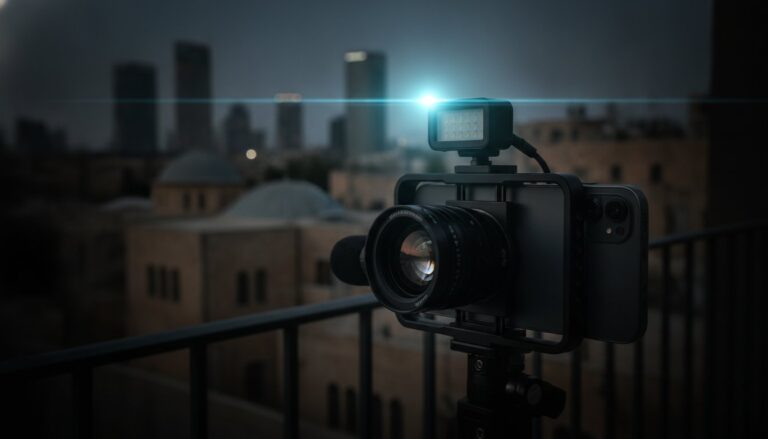
Hardware is your foundation. Software is your finish. To truly get cinematic look on phone, you need a physical setup that supports professional optics and stable movement. Building a rig isn’t about buying every gadget on the market. It’s about creating a modular system that adapts to your environment. Start with an essential vlogging gear for smartphones kit that prioritizes speed and reliability. You need a setup that allows you to swap lenses and filters without missing the perfect light.
External audio is another critical component that many creators overlook. Bad sound kills the cinematic experience faster than low-resolution video. If your dialogue is muffled or your ambient noise is peaking, your audience will disengage instantly. Use a dedicated external microphone to capture crisp, professional audio that matches your high-end visuals. Finally, ensure your lighting control is seamless. A magnetic filter mount, like the JJC Magnetic Lens Filter Mount Adapter for iPhone, is vital for rapid transitions. It allows you to snap on your ND filters the moment you step into the sun.
Stability vs. Organic Movement
Stability defines the mood of your film. Gimbals are excellent for smooth, floating tracking shots, but they can sometimes feel too clinical or robotic. If you want a “pro handheld” look that feels alive and organic, use a dedicated phone cage. Holding a cage with both hands adds physical weight to your device. This weight smooths out micro-jitters while keeping the human energy of the scene. It prevents the dreaded “shaky cam” without making the footage feel artificial. Use a tripod for “locked-off” shots. These are essential for interviews or grand establishing shots where any movement would distract the viewer from the composition.
The Final Checklist Before You Shoot
Preparation separates the amateurs from the masters. Cinematic video files are massive, especially when shooting in Log or ProRes. Check your storage capacity and ensure you have enough room for several hours of high-bitrate footage. Verify your power levels. Running manual camera apps and external gear drains batteries quickly. Always carry a portable power bank. Before you hit record, do a final sweep of your hardware:
- Clean your PRO 1.55X BLUE ANAMORPHIC LENS with specialized spray.
- Ensure your ND filters are securely snapped onto your magnetic mount.
- Double-check that your external microphone is connected and receiving levels.
- Verify your manual settings are still locked in your camera app.
Your vision is ready for the big screen. Stop settling for standard mobile footage and start producing masterpieces. Upgrade your mobile rig at LensLab and start creating today.
Ready to Direct Your Masterpiece?
You now have the blueprint to bridge the gap between amateur clips and professional cinema. It starts with mastering the 180-degree rule and locking your shutter speed with specialized ND filters. It evolves when you swap standard glass for professional anamorphic optics to capture those iconic blue flares and widescreen vistas. To get cinematic look on phone, you must stop letting your device make the creative decisions. Take manual control, build a stable rig, and treat every frame like a work of art.
LensLab provides the same professional 1.55x Anamorphic Lenses used by viral creators in over 20 countries. We offer 24/7 creator support to ensure your production never hits a wall. High-end results are no longer reserved for those with five-figure budgets; they’re available to anyone with the right tools and the drive to create. Upgrade your phone to a cinema camera with LensLab optics and start your journey today. The world is waiting for your story. Go out and shoot it with confidence.
Frequently Asked Questions
Can I get a cinematic look on an older Android or iPhone?
Yes, you can absolutely achieve a professional result on older hardware. The secret isn’t the sensor; it’s the control you exert over it. Older iPhones and Androids still support manual camera apps that lock your settings. By adding a high-quality anamorphic lens and controlling your light, you can bypass the “digital” look of older processors. Focus on composition and lighting to get cinematic look on phone footage, regardless of the device’s age.
Do I really need an ND filter for indoor shooting?
ND filters are rarely required for indoor sessions. You only need them when the ambient light is so intense that your shutter speed exceeds the 180-degree rule. If you’re filming inside a dim room, your phone is already struggling to find enough light. Adding a filter would only force the ISO higher, which introduces unwanted digital noise. Save your filters for outdoor shoots or very bright studio setups where you need to kill the glare.
What is the best app for manual camera control in 2026?
Blackmagic Camera and FiLMiC Pro are the industry leaders for mobile creators in 2026. Blackmagic Camera offers a robust, free suite of tools including histograms and focus peaking. FiLMiC Pro remains a favorite for its advanced log profiles and reliable interface. Using these apps is the only way to lock your settings and get cinematic look on phone shots. They give you the professional authority to override the factory automation that ruins most mobile videos.
How do I de-squeeze anamorphic footage on my phone?
De-squeezing is the process of expanding your squeezed anamorphic footage back to a widescreen ratio. Most pro apps like Blackmagic Camera do this automatically in the preview window. This helps you compose your shot accurately. If you’re editing on a computer, you’ll need to change the clip’s interpretation settings. Set the horizontal scale to 1.55x for our specialized lenses. This restores the correct geometry and gives you that epic, cinematic widescreen aesthetic every time.
Is 4K resolution necessary for a cinematic look?
4K is a great tool, but it isn’t the defining factor of cinema. Many iconic films were captured on formats with less detail than a modern 1080p sensor. Cinema is defined by texture, color science, and motion cadence. A 1080p shot with a 1.55x anamorphic squeeze and perfect motion blur looks far more professional than a sharp 4K clip shot at a high shutter speed. Prioritize your optics and lighting over raw pixel counts for better results.
What is the 180-degree rule in mobile filmmaking?
The 180-degree rule is a cinematic standard for motion blur. It requires your shutter speed to be exactly double your frame rate. If you shoot at 24fps, you must lock your shutter at 1/48. This creates the natural, dreamlike movement we see in theaters. On a phone, you’ll need an ND filter to maintain this shutter speed in daylight. Without it, your phone will jump to a high shutter, making your motion look jittery and robotic.
How do I get those horizontal blue lens flares on my phone?
You get these iconic horizontal flares by using a PRO 1.55X BLUE ANAMORPHIC LENS. These lenses have a specialized coating that interacts with light sources to create a blue streak across the image. It’s a physical effect, not a digital overlay. To see them in action, simply frame a light source like a sunset or a lamp in your shot. The flare will react dynamically as you move your camera, adding immediate production value to your footage.
Which is better for cinematic video: a wide-angle or anamorphic lens?
Both lenses serve different creative purposes. A 16mm wide-angle lens is ideal for capturing massive landscapes or tight interior spaces without the anamorphic squeeze. An anamorphic lens is the better choice for true cinematic storytelling because of its widescreen ratio and unique bokeh. Most serious creators keep both in their kit. Use the wide-angle for establishing shots and the anamorphic for everything else. This variety gives your project a more sophisticated, professional feel throughout the edit.