Mobile Filmmaking Shot List Template: Pro Techniques for 2026 Creators
Your smartphone is a cinema-grade powerhouse. Without a technical blueprint, it’s just an expensive toy. You’ve likely felt the sting of returning from a long shoot only to realize you missed a critical b-roll shot. It’s a common hurdle that makes editing a nightmare and wastes your creative energy. By mastering advanced mobile filmmaking techniques, you can bridge the gap between amateur clips and professional productions in 2026. We know how it feels to be overwhelmed on shoot day. We’re here to help you regain control.
This guide provides the professional roadmap you need to succeed. You’ll learn how to build a comprehensive shot list that ensures you never miss a cinematic frame again. We’ll show you how to organize your production so every minute spent on location translates into high-value content. You’ll achieve faster editing and a cohesive visual style that commands attention. We’ll explore everything from planning your sequences to using pro tools like the LensLab 1.55X Blue Anamorphic Lens to achieve that authentic movie look. It’s time to build your roadmap to production excellence.
Key Takeaways
- Learn why a shot list is your essential roadmap to eliminate decision fatigue and ensure every frame is captured.
- Master professional mobile filmmaking techniques by tracking non-negotiable data points like shot size and camera movement.
- Follow a proven five-step framework to transform your creative script into a precise technical blueprint for production.
- Discover how to integrate high-end gear like ND filters and anamorphic lenses directly into your planning for a cinematic look.
- Optimize your workflow with the “check-off” method to maintain momentum and capture every piece of b-roll needed for faster editing.
What is a Mobile Filmmaking Shot List and Why Do You Need It?
A shot list is your technical roadmap for every production. It transforms a loose creative vision into a series of actionable tasks. While a storyboard uses sketches to show the “vibe” of a scene, the shot list focuses on the “how.” It details the lens choice, the camera angle, and the specific action. For those just starting to learn mobile filmmaking techniques, this discipline is far more important than having the latest phone. It represents the transition from capturing random content to creating intentional cinema.
On a busy set, decision fatigue is your greatest enemy. Every time you stop to wonder what’s next, you lose momentum. A shot list eliminates this friction. It allows you to focus entirely on the performance and the lighting because the sequence of events is already decided. This level of organization is what separates professional creators from hobbyists. It’s the “software” that guides your creative brain while your gear handles the “hardware” side of the job.
The Role of a Shot List in Mobile Cinematography
Being a mobile creator in 2026 requires a director’s mindset. You aren’t just a person with a phone; you’re a filmmaker managing a high-performance production rig. Organization leads directly to better cinematic intent. When you know you need a wide shot followed by a tight close-up, you can plan your movements with precision. This clarity allows you to use tools like the PRO 1.55X BLUE ANAMORPHIC LENS more effectively, as you’ll know exactly which scenes require that cinematic 2.4:1 aspect ratio.
This approach also helps you manage the physical limits of your device. Smartphones are powerful, but they aren’t invincible. High-resolution filming drains batteries and generates heat quickly. A shot list ensures you get the “must-have” frames before your device needs a break. It forces you to be intentional with every second of screen time, ensuring your battery life is spent on usable footage rather than aimless searching.
Saving Time and Storage Space
Over-shooting is a trap that many beginners fall into. Capturing hours of footage “just in case” leads to massive storage headaches. High-speed mobile storage and cloud backup subscriptions in Israel can cost hundreds of ₪ per year. A planned workflow keeps your file sizes manageable and your costs down. By using mobile filmmaking techniques centered on planning, you only hit record when you know the shot is essential.
More importantly, a shot list prevents the nightmare of the missing frame. There’s nothing worse than sitting down to edit and realizing you forgot the b-roll that connects two scenes. By following a template, you ensure every piece of the puzzle is in your pocket before you leave the location. For social media creators, this efficiency means you can move from filming to posting in record time. It makes the entire process feel less like a chore and more like a professional craft.
The Anatomy of a Pro-Level Mobile Shot List
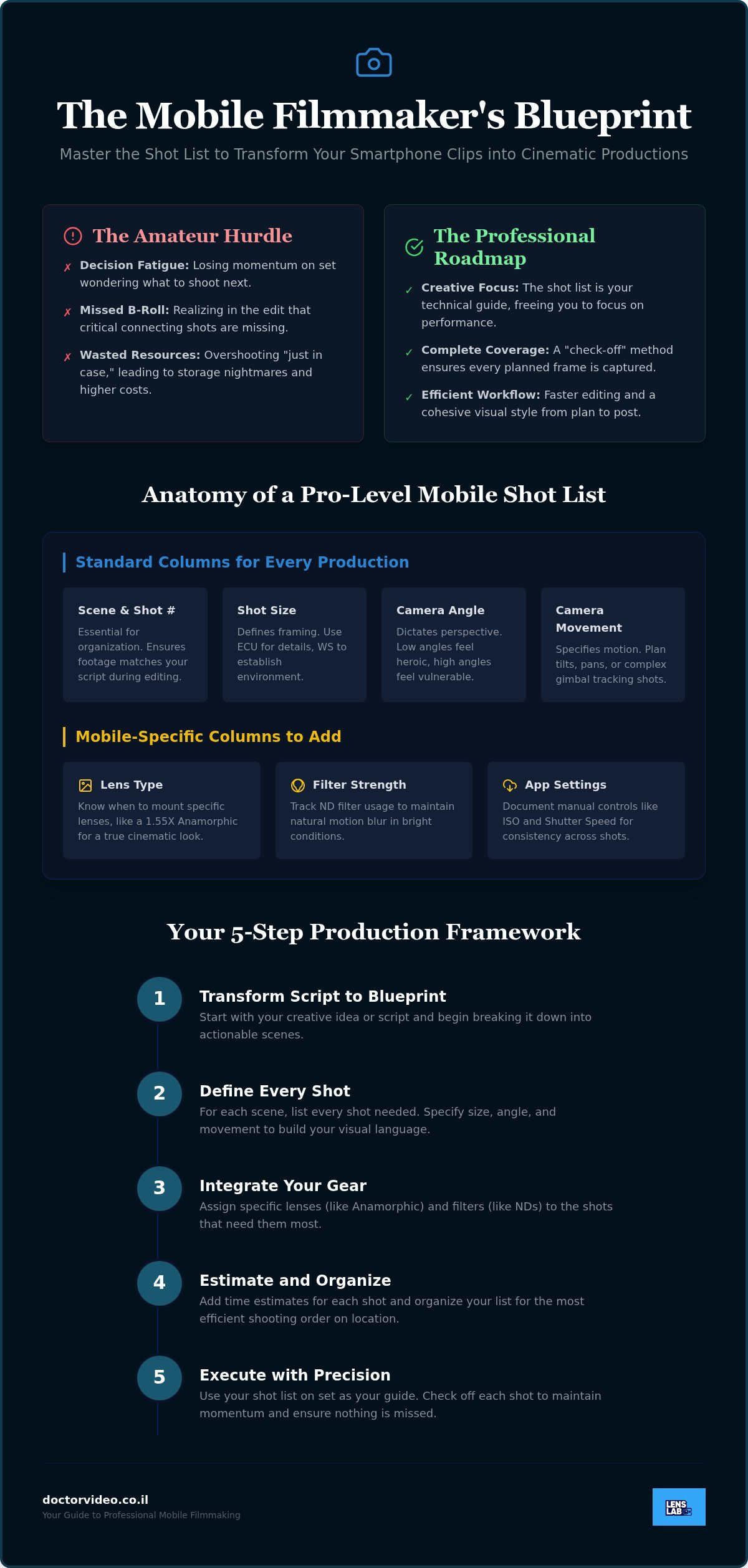
A pro-level shot list is the technical backbone of your production. It bridges the gap between a vague idea and a cinematic reality. To achieve high-end results, you must track specific data points that guide your every move on set. Shot Size and Camera Movement are non-negotiable. They define the visual language of your story. Adding Equipment Notes and Estimated Time tracking will keep your production running like a professional studio. These mobile filmmaking techniques empower you to stay organized even when the pressure is on.
Standard Columns for Every Production
Organization starts with Scene and Shot Numbering. This ensures your footage matches your script perfectly during the edit. Next, define your Shot Size. Use Extreme Close-Ups (ECU) for intense detail or Wide Shots (WS) to establish the environment. Camera Angles are equally vital for storytelling. A low angle can make a subject appear heroic; a high angle can make them feel vulnerable. Finally, plan your Movement. Whether it’s a simple tilt or a complex gimbal-stabilized tracking shot, specifying the motion prevents aimless filming and saves your battery for the shots that matter.
Mobile-Specific Columns You Should Add
Mobile filmmaking requires unique technical tracking. You must include a column for Lens Type. This tells you exactly when to mount your smartphone anamorphic lens to capture that professional 2.4:1 widescreen aspect ratio. Tracking Filter Strength is another essential step. Note when to use ND filters to maintain a natural motion blur, especially under the harsh midday sun. These mobile filmmaking techniques allow you to maintain high standards across different lighting conditions. Finally, record your App Settings. Documenting manual ISO and shutter speed for specific frames prevents exposure shifts and ensures a consistent visual style.
Tracking the Estimated Time for each setup is a game-changer. It helps you manage your shoot day before the light fades. If a complex macro shot with a 10X lens takes 20 minutes to light, your list should reflect that. This level of detail keeps you on schedule and ensures you don’t rush the most important frames. Elevate your production value by pairing this rigorous planning with professional optics from LensLab to ensure every frame is crisp and clear.
How to Build Your Mobile Shot List Step-by-Step
Building a shot list is the moment your creative vision becomes a reality. It’s more than just a list; it’s a tactical plan for success. You must adopt a “Visual First” mindset during this phase. Instead of reading a script, try to see the final frame in your mind’s eye. For those new to the craft, the shot-by-shot breakdown is the most important of all mobile filmmaking techniques. It forces you to justify every single second of footage you intend to capture. Integrating high-quality vlogging gear for smartphones into this planning ensures you have the right tools for every angle you’ve imagined.
Step 1: The Script Breakdown
Start by identifying every unique visual moment in your outline. Circle key actions that demand a specific perspective. Don’t just write “Subject walks.” Specify if you need a “Close-up of feet hitting the pavement” or a “Wide shot establishing the street.” Write a punchy, one-sentence Action-Result description for every frame. This level of detail removes guesswork on shoot day and ensures your intent remains clear from start to finish.
Step 2: Grouping by Location and Equipment
Efficiency on set is non-negotiable in 2026. You should always shoot out of order to maximize your time and battery life. Group all shots requiring a wide angle lens for phone into a single block. This minimizes lens swaps and keeps your creative momentum high. You should also organize your list by lighting requirements. If a scene needs the soft glow of Golden Hour, ensure those shots are prioritized for that specific time window to avoid missing the perfect light.
Step 3: Assigning Technical Metadata
Technical precision is what separates professional content from casual clips. Define your frame rate for every shot on the list. Use 24fps for a classic cinematic look or 60fps for crisp slow-motion sequences. If you’re doing detail work, specify focus points for your best macro lens for smartphone. Don’t forget audio requirements. Clearly note whether a shot uses an external lavalier or the internal microphone to ensure your sound quality matches your visuals. Using these mobile filmmaking techniques ensures a flawless transition from production to the final edit.
Integrating Advanced Mobile Gear into Your Production Plan
Your gear choices dictate the emotional weight of every frame. A professional shot list isn’t complete until it accounts for the hardware required to achieve your vision. If you want a gritty, realistic look, you’ll need different tools than those used for a dreamy, cinematic sequence. Integrating these choices into your plan is one of the most effective mobile filmmaking techniques for 2026. It ensures you never arrive on set without the specific lens or filter needed for a “hero” shot.
Professional clarity starts with maintenance. Always use Lens Cleaning Spray before you begin filming. A single fingerprint can turn a sharp 4K image into a muddy mess. Once your glass is clear, focus on efficiency. Use the JJC Magnetic Lens Filter Mount Adapter for iPhone to swap accessories in seconds. This speed keeps your talent engaged and ensures you don’t miss the perfect light while fumbling with gear. Your shot list should clearly indicate which mount and lens combination is required for every scene.
Planning for the Anamorphic Look
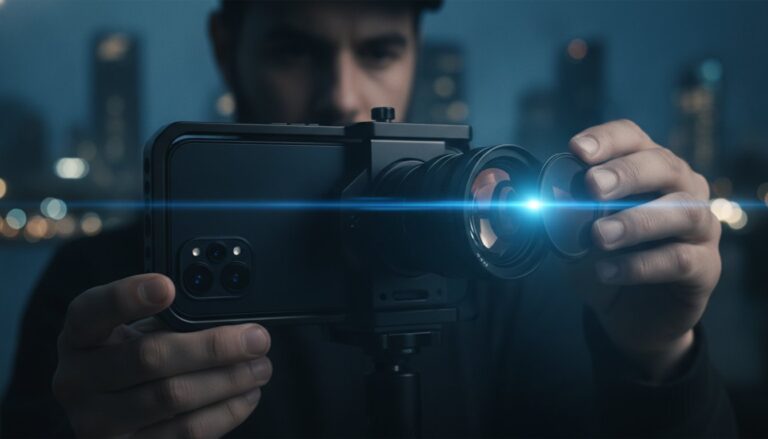
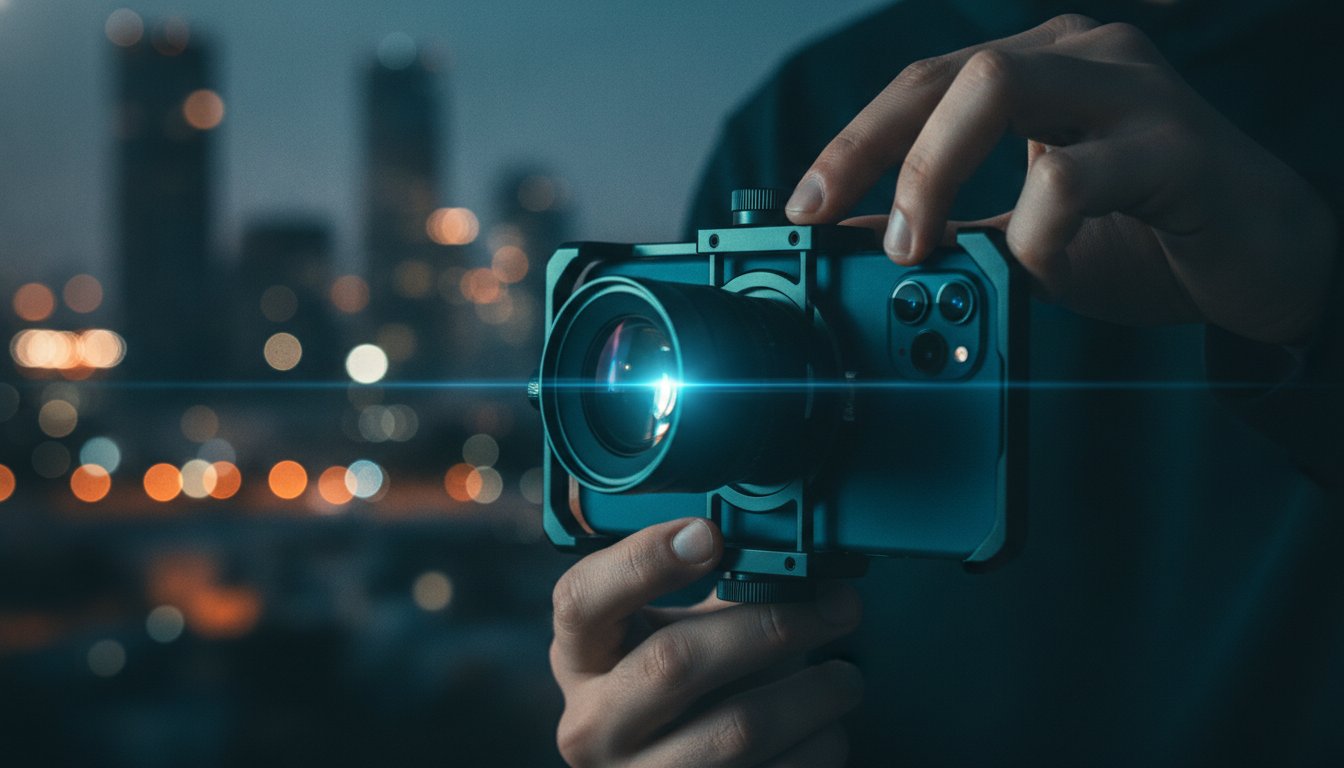
The PRO 1.55X BLUE ANAMORPHIC LENS is your ticket to wide-screen epicness. Mark every establishing shot that requires this 2.4:1 aspect ratio. You should also plan for lens flares by identifying light sources in your shot list notes. If you’re shooting against the sun or streetlights, note the angle to catch those iconic horizontal blue streaks. Always include a “de-squeeze” reminder in your editing notes column. This simple step prevents confusion during post-production and keeps your workflow streamlined.
Mastering Light with ND Filters
Control your exposure like a pro by planning for ND filter strengths based on the time of day. Midday sun in Israel requires a much stronger filter than late afternoon light to maintain a natural motion blur. Use GoPro HERO 12 ND filters to capture cinematic action shots with perfect shutter speeds. For night-time scenes, integrate a Star Filter into your production plan. This accessory turns ordinary streetlights into dreamy, sparkling highlights that elevate the production value of any urban shoot.
Ready to upgrade your production kit? Explore the full range of professional optics and filters at LensLab to start building your cinematic future today.
From Template to Viral Content: Execution and Editing Tips
Carrying your plan into the field is where the magic happens. Whether you prefer a digital tablet or a physical printout, your shot list must be accessible at all times. Digital lists allow for instant updates, but a printed copy never fails in the bright Israeli sun where screen glare is a constant battle. Use the “Check-off” method to maintain high energy. Crossing a shot off the list provides a psychological win that keeps the momentum building. This disciplined approach is one of the most vital mobile filmmaking techniques for high-pressure shoot days.
Don’t ignore the Notes column. Real-world conditions often force creative pivots. If you decide to swap a standard lens for the 16mm Wide Angle Lens because the space is tighter than expected, document it immediately. Review your list before every new scene begins. This 30-second pause ensures your entire team is aligned before you hit record. It prevents the “wait, did we get that?” panic that kills productivity and wastes battery life.
Managing Your Mobile Production Workflow
Keep your phone in Airplane Mode. A random notification can ruin a perfect take or even cause your recording app to glitch. Professionalism also means maintaining your optics throughout the day. Use a Lens Cleaning Spray before every new scene on your list to ensure zero smudges or dust spots. Finally, monitor your battery percentages after every five shots. High-resolution filming is taxing; knowing your power status prevents your device from dying mid-sequence and losing your progress.
Post-Production: Using the List to Edit Faster
Your shot list is the key to an efficient edit. A numbered list makes file organization a breeze because your clips already follow a logical sequence in your storage. Use your technical notes to apply the correct color grading or de-squeezing for anamorphic footage instantly. You should also identify “Safety Shots” on your list. These extra frames of environment or detail work as perfect transitions when your main footage needs a visual bridge. By applying these mobile filmmaking techniques, you turn a mountain of raw footage into a polished, viral-ready masterpiece in record time.
Step into Your Director Era
Mastering a professional shot list is the single biggest leap you can take toward cinematic excellence in 2026. You’ve learned how to transform a creative vision into a technical roadmap and how to group your shots for maximum efficiency. By applying these advanced mobile filmmaking techniques, you eliminate the guesswork that often holds creators back. You’re no longer just someone with a phone; you’re a director with a clear plan. This discipline ensures every frame has a purpose and every minute on set is spent building your masterpiece.
Professional results require the perfect partnership between strategy and high-end hardware. We’re here to support your journey with worldwide shipping on all mobile optics and 24/7 creator support. It’s why influencers in 20+ countries trust our gear to deliver professional results. It’s time to bridge the gap between amateur content and cinema-grade production. Elevate your mobile production with LensLab pro lenses and filters. Your audience is waiting for your best work yet. Go out there and create something unforgettable.
Frequently Asked Questions
What should be included in a basic mobile filmmaking shot list?
A basic list must include the scene number, shot size, camera movement, and specific equipment notes. You should also include a column for lens type and filter usage to ensure technical consistency. Adding estimated time for each setup helps you stay on schedule during the shoot. It’s the best way to avoid missing critical b-roll while managing your creative energy on a busy day.
How do beginners start filmmaking with just a smartphone?
Start by mastering manual control of your camera settings like focus and exposure. Discipline is more important than expensive gear when you’re first learning. Focus on storytelling and lighting before adding external lenses. Once you’re comfortable, integrate professional organizational tools like a shot list to manage your production. This transition from casual clips to intentional cinema is what defines a serious creator in 2026.
Is a shot list different from a storyboard?
Yes, a shot list is a technical document while a storyboard is a visual one. Storyboards use sketches to show the composition and emotional vibe of a scene. In contrast, a shot list provides the specific data points needed to execute those frames. It includes lens choices, camera angles, and movement instructions. While both are useful, the shot list is the practical roadmap for production.
Can I use a shot list template for TikTok and Reels?
Absolutely, and you should use one to maintain a high production pace. Short-form content requires fast cuts and varied angles to keep viewers engaged. A template helps you plan these transitions ahead of time. It ensures you capture all the necessary hooks and b-roll needed for a viral edit. Using a structured plan allows you to produce professional results without wasting hours on aimless filming.
Why do I need ND filters for my mobile filmmaking shots?
ND filters act like sunglasses for your camera, allowing you to use professional shutter speeds in bright light. Without them, your smartphone will use a high shutter speed that makes motion look choppy and unnatural. By using a filter, you can achieve a smooth, cinematic motion blur. This is one of the most essential mobile filmmaking techniques for creators who want their footage to look like high-end cinema.
How many shots should be in a one-minute mobile video?
A standard one-minute video typically requires between 15 and 30 unique shots to maintain viewer interest. This depends on the genre; a fast-paced travel reel might need more, while an interview might need fewer. Your shot list should account for a mix of establishing shots, medium shots, and close-ups. Planning for this variety ensures your final edit feels dynamic and professional rather than repetitive or stagnant.
What is the best app for managing a shot list on a phone?
Many creators use flexible tools like Notion or Google Sheets for mobile access. These apps allow you to update your list in real-time and share it with your team. Dedicated filmmaking apps like StudioBinder also offer robust features for professional productions. The best choice is one that remains accessible in the field. Ensure your chosen app works offline so you don’t lose access in remote locations.
How do I organize b-roll in my mobile filmmaking techniques?
Group your b-roll shots by location and lens type to minimize setup changes. If you need macro shots of a product, film them all in one block using your 10X lens. This strategy saves battery life and keeps your creative momentum high. Clearly label these shots in your template so you can find them easily during the editing process. Intentional b-roll organization is one of the most effective mobile filmmaking techniques for a fast workflow.