How to Get Cinematic GoPro Footage: The 2026 Professional Guide
Your GoPro is actually too smart for its own good. Out of the box, it’s designed to make every frame sharp and every shadow bright. That’s exactly why your clips often look like digital home movies instead of cinematic masterpieces. You want that smooth, dreamlike motion and rich color that defines professional film. To get there, you have to stop letting the camera make all the decisions. Learning how to get cinematic gopro footage is about intentionally “handicapping” those automated settings to mimic the physics of traditional cinema.
It’s frustrating when your high-speed action feels jittery or those vibrant skies turn into a blown-out white void. We’ve all felt that gap between the epic moment we lived and the flat, over-sharpened video we see later. This 2026 guide promises to bridge that gap. You’ll master the art of natural motion blur using our 4-Pack ND Filter Set and learn to unlock the full potential of Protune color grading. We’ll also show you how the GoPro HERO 13 Max Lens Mod can provide the immersive field of view your story deserves. From technical settings to the right optics, you’re about to turn your shaky action clips into professional-grade cinema.
Key Takeaways
- Implement the 180-degree shutter rule to sync your camera physics with traditional cinema standards.
- Discover how to get cinematic gopro footage by using high-quality ND filters to achieve smooth, natural motion blur.
- Utilize the GoPro HERO 13 Max Lens Mod to capture expansive, ultra-stable perspectives that go beyond the standard fisheye look.
- Secure your visual consistency by mastering Protune settings and locking white balance to prevent distracting mid-shot color shifts.
- Establish a professional-grade field workflow that prioritizes light control and lens maintenance for flawless production results.
The Cinematic GoPro Mindset: Settings and Standards
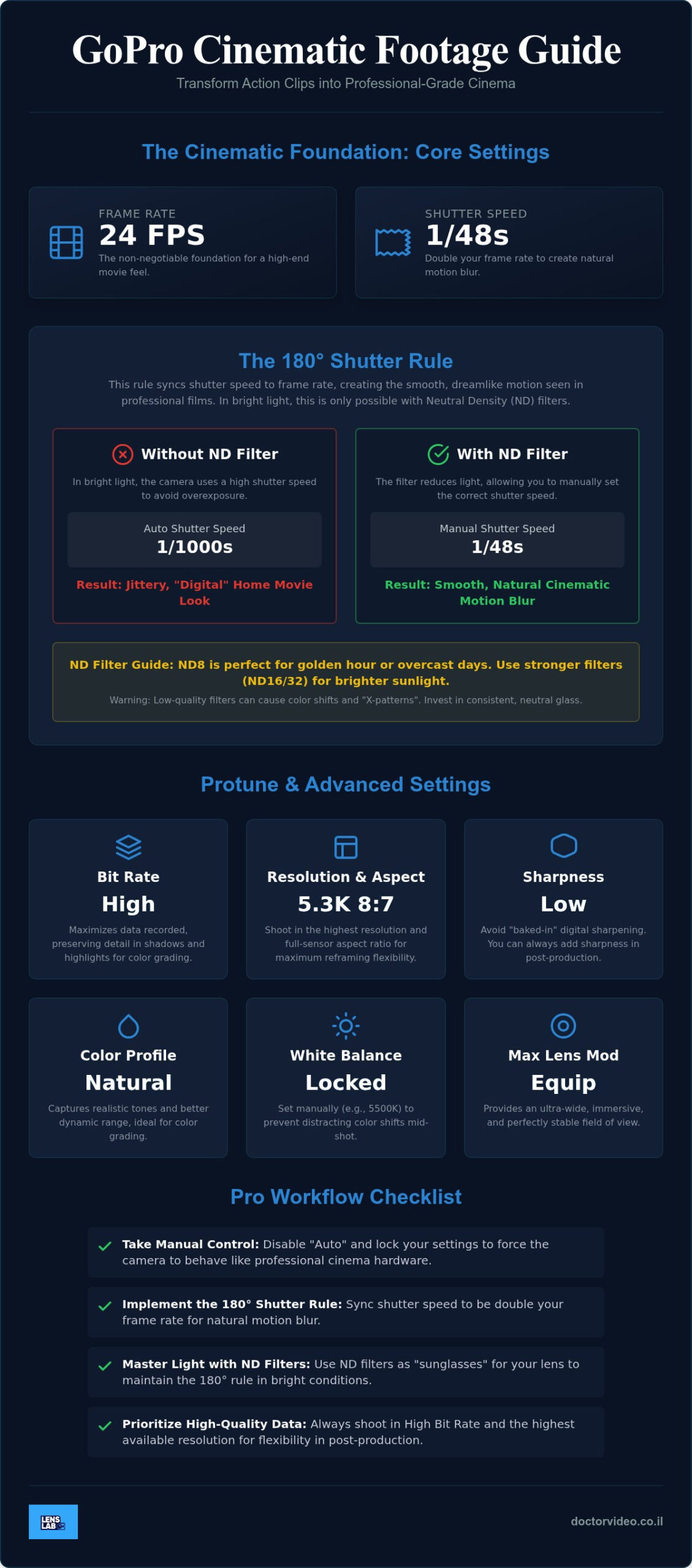
Cinematic storytelling is a deliberate act. It starts the moment you turn on your camera. Most users leave their settings on “Auto” and hope for the best. That is a mistake. Professional results require you to take full control of the sensor. You must disable the camera’s automated brain. Lock your settings. Force the hardware to behave like a film camera. This is the first step in mastering how to get cinematic gopro footage. Start with 24fps. This frame rate is the non-negotiable foundation of cinema. It provides the specific cadence that our brains associate with high-end movies. Anything higher often feels like a video game or a sports broadcast. Stick to 24fps to give your story weight and authority.
Choose the “High” bit rate setting immediately. This increases the amount of data recorded per second. It’s the difference between a thin, brittle file and a robust one. High bit rate preserves the fine details in shadows and highlights. You’ll need this extra information later during color grading. Without it, your footage will look blocky and “digital” when you try to push the colors. It ensures your 5.3K resolution actually holds the detail you expect from a professional production. High-quality data is the lifeblood of your edit.
Understanding the 180-Degree Shutter Rule
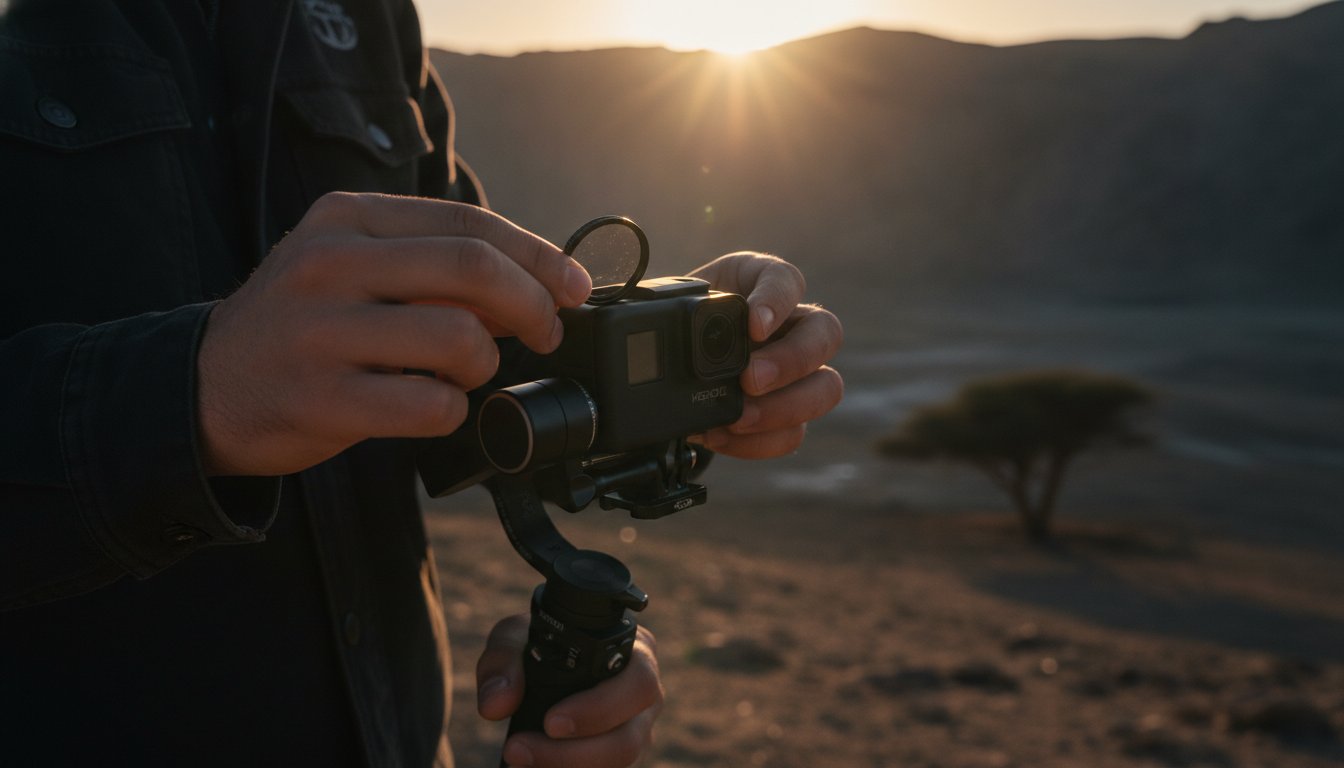
Motion blur is the soul of cinema. Our eyes expect a certain amount of blur when things move. Without it, your video looks jittery, sharp, and artificial. The 180-degree shutter rule is your solution. It dictates that your shutter speed should be double your frame rate. For the classic 24fps look, set your shutter to 1/48 or 1/50. This creates a soft, natural transition between frames. It mimics the mechanical shutters used in professional Digital Cinematography. Achieving this in bright daylight is impossible without our 4-Pack ND Filter Set. These filters act as sunglasses for your lens. They allow you to keep that slow shutter speed without blowing out your image. This simple hardware addition transforms your look from “action cam” to “cinema cam” instantly.
Resolution vs. Aspect Ratio: The 2026 Standards
Resolution is about more than just clarity. It’s about flexibility. Always shoot in 5.3K if your model supports it. This gives you a massive canvas. You can crop into 4K or reframe your shot without any loss of detail. Use the 8:7 aspect ratio to maximize your sensor’s potential. This “full-frame” capture allows you to export vertical clips for social media and horizontal clips for the big screen from a single file. It’s efficient and professional. Pair these settings with the GoPro HERO 13 Max Lens Mod for an ultra-wide, immersive field of view that remains perfectly stable.
- Natural Color Profile: Use this to capture realistic tones and better dynamic range right out of the box.
- Manual White Balance: Lock your white balance between 4500K and 5500K. This prevents the camera from changing colors mid-shot.
- Sharpness: Set this to “Low” or “Medium.” You can always add sharpness in post, but you can’t remove “baked-in” digital over-sharpening.
Mastering Light Control with GoPro ND Filters
Daylight is a double-edged sword for creators. While it provides clarity, it also forces your camera into high-speed shutter settings. Without intervention, your GoPro will capture movement with clinical, jittery precision. This happens because the sensor needs to limit light intake to avoid overexposure. To solve this, you need Neutral Density (ND) filters. Think of them as high-performance sunglasses for your lens. They reduce the light entering the camera, allowing you to maintain that crucial 180-degree shutter speed even under a high-noon sun. This physical light control is the secret weapon for anyone learning how to get cinematic gopro footage.
Using low-quality filters can ruin a great shot. Cheap glass often introduces a dreaded “X-pattern” or distracting color shifts that are impossible to fix in post-production. You need consistent, neutral glass that preserves the integrity of your image. Following professional Cinematography Tips means respecting the physics of light. By using the right ND strength, you ensure your motion looks fluid and expensive, rather than cheap and digital. It’s about giving your audience the visual cues they expect from a big-budget production.
Choosing the Right ND Strength
Selecting the correct filter depends entirely on your environment. You want to hit that 1/48 or 1/50 shutter speed target without sacrificing image quality. Use this quick guide for your next shoot:
- ND8: Perfect for the soft light of golden hour or heavy overcast days. It provides just enough reduction to keep your motion smooth.
- ND16 and ND32: These are your daily workhorses. Use them for standard bright daylight and action sequences where consistent exposure is key.
- ND64: Reserved for extreme glare. If you’re shooting on snow, open water, or in white desert sands, this is your go-to filter.
The LensLab 4-Pack Solution
Speed is vital when you’re in the field. Our 4-Pack ND Filter Set for GoPro HERO 12 / 11 / 10 / 9 offers a seamless twist-on design for rapid changes. You don’t want to miss the perfect light while fumbling with gear. These filters provide the optical precision required to how to get cinematic gopro footage in any condition. Interestingly, the same light-control principles used here can also improve smartphone video quality, making these skills transferable across your entire kit. If you’re ready to elevate your production value, check out our professional optics collection to find the perfect match for your HERO camera.
Advanced Composition and Lens Mods
Stop settling for the standard fisheye distortion. It screams “action cam” rather than “cinema.” To master how to get cinematic gopro footage, you must treat your sensor like a professional film plane. Switch to Linear mode for lifestyle shots to remove barrel distortion. This keeps your vertical lines straight and your architecture realistic. Use Wide only when the environment demands it. Sweeping landscapes and tight action deserve that expansive look. Physical optics always beat digital cropping. A digital zoom throws away precious pixels and introduces noise. High-quality glass preserves every bit of your 5.3K resolution. This is the foundation of a professional aesthetic.
Composition is your silent storyteller. Use leading lines to draw the viewer’s eye into the heart of the action. A mountain trail, a handrail, or a shoreline can guide the narrative through the frame. Apply the rule of thirds even during high-speed sports. Keeping your subject off-center creates a balanced, professional feel. It moves your work away from center-weighted “home movies” toward intentional art. Great composition makes the viewer feel like they are watching a story, not just a recording.
The GoPro HERO 13 Max Lens Mod
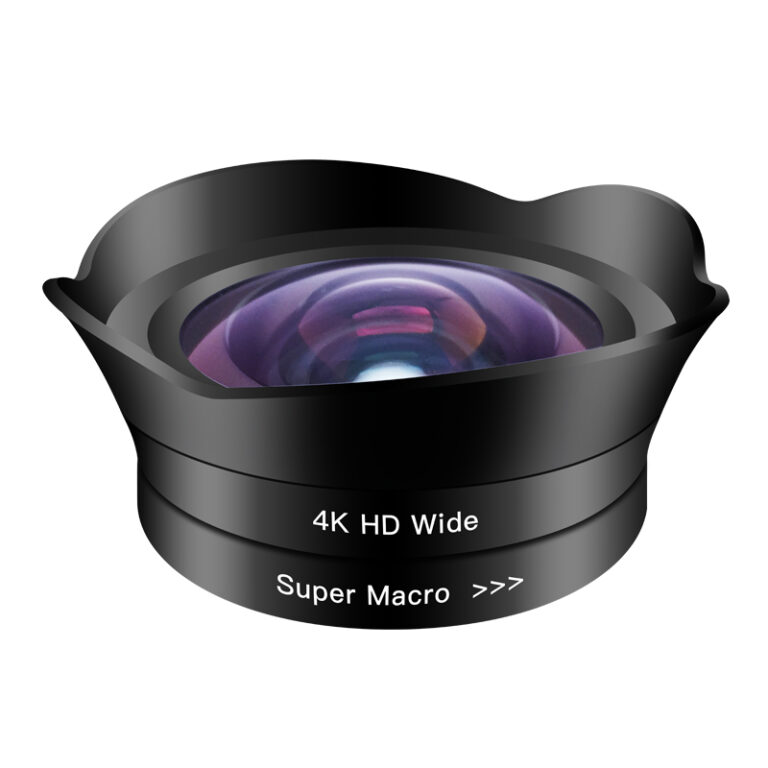
The GoPro HERO 13 Max Lens Mod is a vital upgrade for creators seeking an immersive perspective. It expands your field of view to a massive 177 degrees. This isn’t just about wide shots. It’s about the feeling of total presence. The 360-degree Horizon Lock is the standout feature. It ensures your footage stays perfectly level even if the camera rotates completely. This creates a stabilized “steadicam” look that digital fixes cannot replicate. It makes POV footage feel immersive rather than nauseating for your audience. It’s an essential tool for how to get cinematic gopro footage in chaotic environments.
Dynamic Camera Movement
Movement adds energy and depth to your clips. Leverage the “Parallax Effect” by placing objects in the foreground of your shot. As the camera moves, foreground elements shift faster than the background. This instantly creates a three-dimensional sense of scale. While HyperSmooth is powerful, a dedicated gimbal is still superior for slow, cinematic pans. Choose your frame rates with purpose. Jumping to 60fps or 120fps should be a tactical decision. Use slow motion to emphasize a peak moment or to smooth out micro-jitters during intense vibrations. Every movement should serve the story. If the movement doesn’t add value, keep the camera still.
The Pro Workflow: Protune, Color, and Sound
Protune is where your GoPro transforms from a simple action camera into a professional filmmaking tool. It gives you direct access to the sensor’s raw potential. By unlocking these advanced settings, you gain the dynamic range needed for a true movie-like look. This is a critical step in mastering how to get cinematic gopro footage. Don’t let the camera make creative decisions for you. Lock your settings to ensure visual consistency from the first frame to the last. This manual control is what separates hobbyist clips from professional productions.
Digital grain is the enemy of high-end quality. Set your ISO Limit between 100 and 400. High ISO settings introduce electronic noise that destroys the clean aesthetic found in big-budget films. Keeping it low preserves the organic texture of the image, even in challenging light. Similarly, lock your White Balance. If you leave it on auto, the camera will shift colors as you move between sun and shadow. This creates a jarring, amateurish experience for your audience. A fixed White Balance ensures every clip in your sequence matches perfectly. It saves you hours of frustrating work during the editing process.
Color Grading for Beginners
Choosing between “Flat” and “Standard” profiles defines your entire post-production workload. The “Standard” profile is vibrant and ready to share, but it “bakes in” the color and contrast. This limits your creative choices later. The “Flat” profile captures the most data in the shadows and highlights. It looks washed out at first, but it is the professional choice for how to get cinematic gopro footage. Use basic color correction to restore contrast and saturation in your editing software. For a fast, consistent finish, apply a LUT (Look Up Table). This digital tool instantly applies a specific film aesthetic to your project, making your GoPro shots look like they were captured on a high-end cinema rig.
Audio: The Forgotten Cinematic Element
Visuals are only half of the cinematic experience. Internal GoPro microphones are notorious for failing in the wind. They often sound thin, muffled, and distant. To make your footage feel “expensive,” you must prioritize high-quality audio. Use the GoPro Media Mod or a dedicated external microphone for crisp dialogue and clear sound effects. Sound design elevates the viewer’s emotional connection to the scene. Add ambient soundscapes in post-production to ground your visuals in reality. The sound of crunching gravel, rushing wind, or distant water creates a sense of place that visuals alone cannot provide.
Ready to refine your visual style and capture professional results? Explore our professional GoPro optics and accessories to complement your pro workflow and elevate your content today.
Building Your Cinematic GoPro Kit for 2026
Professional output requires professional preparation. You cannot achieve high-level visuals with a messy bag and smudged glass. Your kit should be lean, efficient, and ready for action. This final step in learning how to get cinematic gopro footage is about reliability in the field. If your gear fails, your story stops. Build a setup that removes friction and lets you focus on the art. A well-organized kit is the mark of a serious creator who values their time and their results.
Organization is just as important as the hardware itself. Use a modular case to keep your filters, mounts, and batteries in the same spot every time. High-intensity shoots leave no room for fumbling. You need to be able to swap an ND filter or change a battery in seconds without looking. This muscle memory allows you to stay present in the creative moment. It ensures you never miss a fleeting light window or a peak action sequence. Speed in the field leads to better storytelling.
Essential Hardware Checklist
Every cinematic setup starts with light control. The 4-Pack ND Filter Set is your most critical asset for achieving natural motion blur. Beyond filters, your maintenance routine must be flawless. Dust and oil on your lens cause “smudge flares” that ruin dynamic range and contrast. Always carry a professional Lens Cleaning Spray and a fresh microfiber cloth. Finally, ensure your SD cards are V30 or V60 rated. High-bitrate 5.3K footage will crash a standard card. Don’t risk your data on cheap storage. Use this checklist before every shoot:
- Settings: Verify 24fps and 1/48 shutter speed are locked in Protune.
- Optics: Match your ND filter strength to the current environmental light.
- Clarity: Use your cleaning spray on the camera lens and both sides of the filter.
- Power: Confirm you have at least three fully charged batteries for a full day of recording.
Where to Upgrade Your Gear
Choosing the right partner for your gear is a strategic decision. LensLab is the preferred choice for serious creators across the country. We provide the professional optics and authorized accessories like the GoPro HERO 13 Max Lens Mod to elevate your production. Our team offers 24/7 creator support because we know your projects don’t follow a 9-to-5 schedule. We are committed to your success as a filmmaker. With fast national shipping, you’ll never be stuck without the tools you need to how to get cinematic gopro footage. Ready to transform your footage? Explore the full GoPro Cinematic Collection at LensLab and start creating today.
Take Command of Your Creative Vision
You now have the professional blueprint for cinematic success. High-end visuals aren’t the result of luck or automated settings. They come from intentional choices and the right hardware. By locking your frame rate at 24fps and mastering the 180-degree shutter rule, you’ve already moved beyond the average creator. Remember that physical light control is the foundation of every great shot. Mastering how to get cinematic gopro footage requires you to stop letting the camera guess and start telling it exactly what you want to see.
Your journey from action clips to professional-grade cinema starts with the right tools. We provide the specialized GoPro optics and authorized accessories you need to elevate your production value. Benefit from our 24/7 creator support and fast national shipping to ensure you’re always ready for the next adventure. Upgrade your GoPro with Pro-Level ND Filters at LensLab and transform your visual storytelling today. The world is your set. Go out and capture something truly epic.
Frequently Asked Questions
Do I really need ND filters for my GoPro?
Yes, ND filters are essential for daylight shooting. Without them, your camera will use a high shutter speed to compensate for brightness, resulting in jittery, hyper-real motion. Using our 4-Pack ND Filter Set allows you to drop your shutter speed to 1/48 or 1/50. This creates the natural motion blur found in big-budget movies. It’s the most effective hardware upgrade for achieving a professional look in bright environments.
What is the best frame rate for cinematic GoPro video?
24fps is the non-negotiable foundation for a cinematic aesthetic. This frame rate matches the cadence of traditional film and provides the specific motion texture our brains associate with cinema. While 60fps or 120fps is great for slow-motion highlights, 24fps should be your primary setting for storytelling. It creates a dreamlike quality that distinguishes your work from standard digital video or high-speed sports broadcasts.
How do I stop my GoPro footage from looking too sharp?
Set your sharpness to “Low” or “Medium” within the Protune menu. GoPro’s default “High” sharpness adds artificial edges that make footage look too digital and over-processed. By lowering this setting, you preserve a more organic, film-like texture. You can always add subtle, controlled sharpening during the editing phase. This approach gives you far more creative control over the final texture and aesthetic of your production.
Can I get cinematic footage with an older GoPro model?
You can absolutely capture professional results with older models like the HERO 9 or 10. The principles of how to get cinematic gopro footage remain the same regardless of the hardware generation. By locking your shutter speed, using manual white balance, and attaching high-quality ND filters, you can bypass the “action cam” look. Focus on light control and composition to produce high-end content that rivals the newest releases.
Is the Max Lens Mod worth it for cinematic shots?
The Max Lens Mod is an invaluable tool for creators who need an immersive perspective. It provides a massive 177-degree field of view and 360-degree horizon leveling. This allows you to capture stable, ultra-wide shots that would be impossible with a standard lens. It’s particularly useful for POV shots where you want the viewer to feel like they are part of the action without the distracting fisheye distortion.
What are the best Protune settings for a film look?
Start by choosing the “Flat” color profile and “Low” sharpness. Lock your White Balance between 4500K and 5500K to prevent color shifts. Set your ISO Min and Max to 100 and 400 respectively to keep digital noise at bay. These settings provide the most data-rich file possible. This allows you to apply professional color grading and LUTs in post-production to achieve a consistent, high-end film aesthetic.
How do I avoid shaky footage without a gimbal?
Leverage GoPro’s internal HyperSmooth stabilization and shoot in a wider field of view. Wider shots naturally hide micro-jitters better than narrow ones. If you’re using the HERO 13 Max Lens Mod, you’ll gain even more stability through horizon leveling. For the best results, keep your movements slow and deliberate. Avoid sudden jerks and use your body as a natural shock absorber while moving through the environment.
Does 24fps work for fast-moving action sports?
Yes, 24fps works brilliantly for action because the natural motion blur enhances the sense of speed. High frame rates like 60fps can make fast movement look too clinical and real-time. By using 24fps with a locked shutter speed, you create a visceral, cinematic feeling of momentum. It’s a key technique in how to get cinematic gopro footage that makes your audience feel the intensity of every turn and jump.