
Telephoto Lens for Phone: How to Get Sharp Zoom Shots
The most useful telephoto lens for phone tips come down to five things: put the add-on over the correct camera, align it perfectly, stabilize the phone, use plenty of light, and keep expectations realistic about distance. Do that and a clip-on telephoto gives cleaner, more natural “zoom” than digital zoom, with flattering compression for portraits and tighter framing for details you can’t walk up to.
What an add-on telephoto actually does
A telephoto add-on magnifies the image optically before it reaches the phone’s sensor. Instead of cropping into the sensor (digital zoom), the phone records full resolution of a narrower view. It also compresses perspective: background elements look larger and closer to the subject, which is why telephoto portraits look flattering and why mountains loom behind a hiker.
What it won’t do is turn your phone into a wildlife super-telephoto. For subjects far away, distance, atmospheric haze and hand shake set hard limits. Plan for moderate distances: portraits, street details, stage performers from mid-room, architecture details and pets across the yard.
Pick the right lens and camera combination
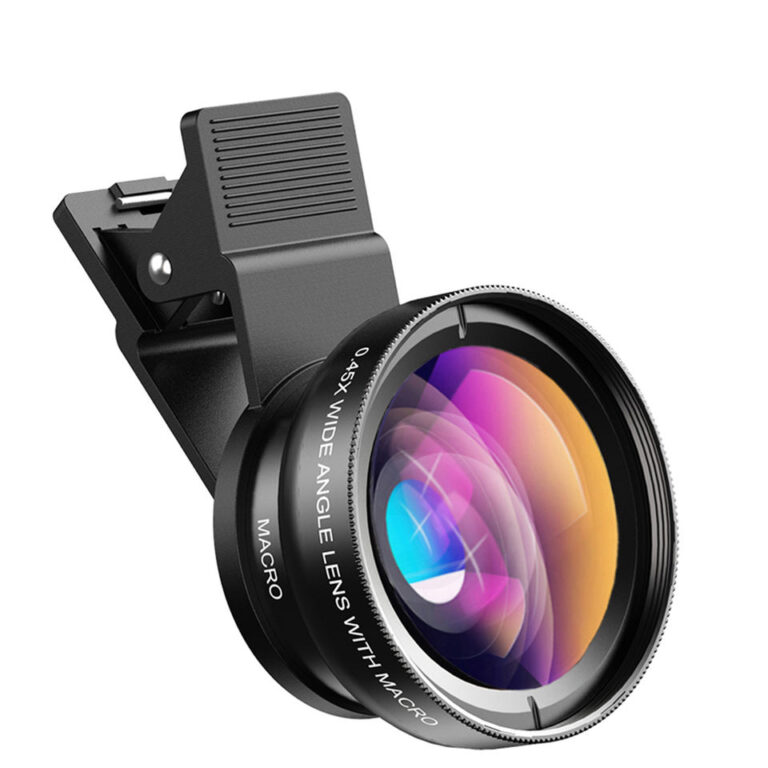
- Clip-on telephoto: the 105mm telephoto lens is a dedicated tele optic for portraits and compressed backgrounds. It’s designed to sit over the main (1x) camera.
- Phone-specific converter: the Pickogen 2x telephoto converter is built for the iPhone 15, 16 and 17 Pro and Pro Max camera layout, which makes alignment more predictable on those models. It’s designed for the phone’s built-in telephoto camera and doubles that camera’s reach, so select the telephoto lens in your camera app rather than 1x when you use it.
Rule of thumb: put the add-on over the camera it was designed for and lock the camera app to that lens. Many phones switch cameras automatically when light drops or you get close, which suddenly puts the wrong lens behind your telephoto.
Step-by-step: getting sharp telephoto shots
- Clean the phone glass and the add-on. Telephoto magnifies smudges as haze and glow.
- Attach and center. Point at a bright, evenly lit wall and check for dark corners or a dark crescent. Adjust until the image is even and sharp in the middle.
- Lock the camera module. Use a pro mode or app that lets you choose the lens and turn off auto switching.
- Stabilize. Use a small tripod, lean on a wall, or brace your elbows against your chest. At telephoto magnification, tiny shakes become visible blur.
- Tap to focus on the subject, then lock focus and exposure.
- Use the volume button or a timer to release the shutter without jolting the phone.
- Shoot a burst and keep the sharpest frame.
Light: the hidden factor in sharp zoom shots
Add-on lenses add glass, and telephoto framing shows camera shake more. In low light, the phone slows the shutter and raises ISO, giving blurry or noisy results. Shoot telephoto in good daylight or under strong stage lighting. If you must shoot in dim light, mount the phone on a tripod and ask your subject to hold still.
Distance and haze
When you shoot something far away, you’re photographing through a lot of air. Heat shimmer over roads, humidity and dust soften distant subjects regardless of lens quality. To get crisp results:
- Shoot in the morning before the ground heats up.
- Avoid shooting across hot asphalt or car roofs.
- Get physically closer when you can. Telephoto works best on mid-distance subjects.
Where telephoto shines on a phone
Portraits
Phones’ wide main cameras can distort faces when you get close. A telephoto lets you step back and fill the frame, giving natural facial proportions and a more separated background.
Compressed cityscapes
Stack buildings, street signs and layers of traffic so they look dense and graphic.
Concerts and stage events
From a mid-room spot, a telephoto gets you closer to performers than your phone’s native zoom, especially in a well-lit venue.
Details you can’t reach
Architectural carvings, stained glass, a bird on a nearby feeder, the moon as part of a landscape composition.
Product and food from a distance
Shooting from farther away with telephoto flattens perspective and avoids the “big front, small back” look of close wide shots.
Common telephoto problems and fixes
- Dark circle around the image: wrong camera behind the lens, or misalignment. Recenter and lock the module.
- Sharp center, soft edges: normal for many add-ons. Keep the subject near the center and crop the edges if needed.
- Blur on every shot: camera shake. Tripod, timer, more light.
- Purple or green fringes on high-contrast edges: chromatic aberration. Avoid backlit branches against bright sky, or correct in an editing app.
- Image is upside down or mirrored: some telescope-style optics need to be used in the correct orientation; check the instructions.
Video with a telephoto lens
Telephoto video exaggerates every wobble. Use a tripod or gimbal, move slowly, and favor static shots with movement within the frame. Telephoto is excellent for slow, compressed tracking shots of people walking toward the camera, a staple of cinematic B-roll. For more on making footage look polished, see our guide to making phone videos look professional.
Quick checklist
- Correct camera module locked, auto switching off
- Lens centered and checked against a bright wall
- All glass clean
- Tripod, brace or support
- Good light; avoid dim scenes
- Focus and exposure locked
- Volume button or timer for release
- Bursts, then keep the sharpest
- Realistic distances; get closer when possible
FAQ
Is a clip-on telephoto better than my phone’s zoom?
Compared with digital zoom, an optical add-on usually preserves more detail. Phones with built-in telephoto cameras already do well; add-ons extend reach or improve framing on the main camera.
Why does my telephoto shot look blurry at night?
The phone slows the shutter in low light, and magnification makes shake visible. Use a tripod or shoot in brighter conditions.
Can I use a telephoto lens for wildlife?
For approachable subjects at moderate distance, yes. Distant, small wildlife is better suited to dedicated cameras or spotting scopes with a tripod.
Do I need a tripod?
Not always, but it dramatically improves your hit rate, especially for video and lower light.
Get closer without walking closer.
Choose the 105mm clip-on for portraits and compression or the Pickogen converter for iPhone Pro models, and bundle lenses with the Mix & Match – any 3 for $129 offer. Every lens in our shop is tested before it ships free worldwide.