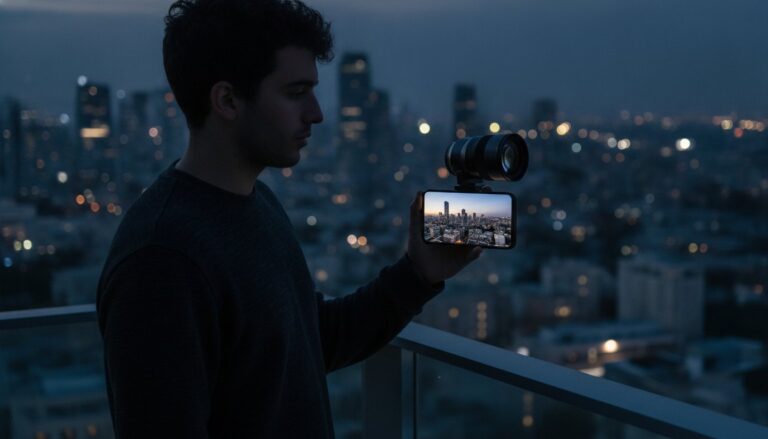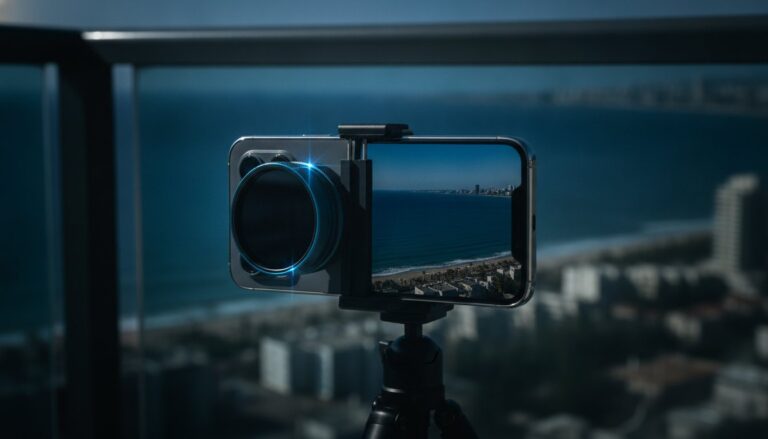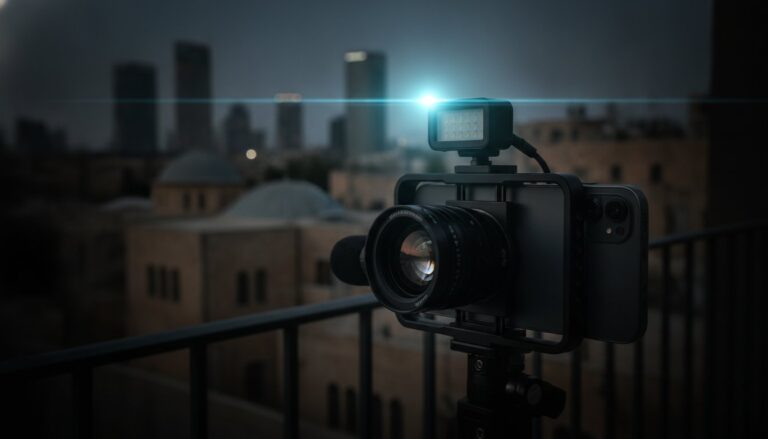
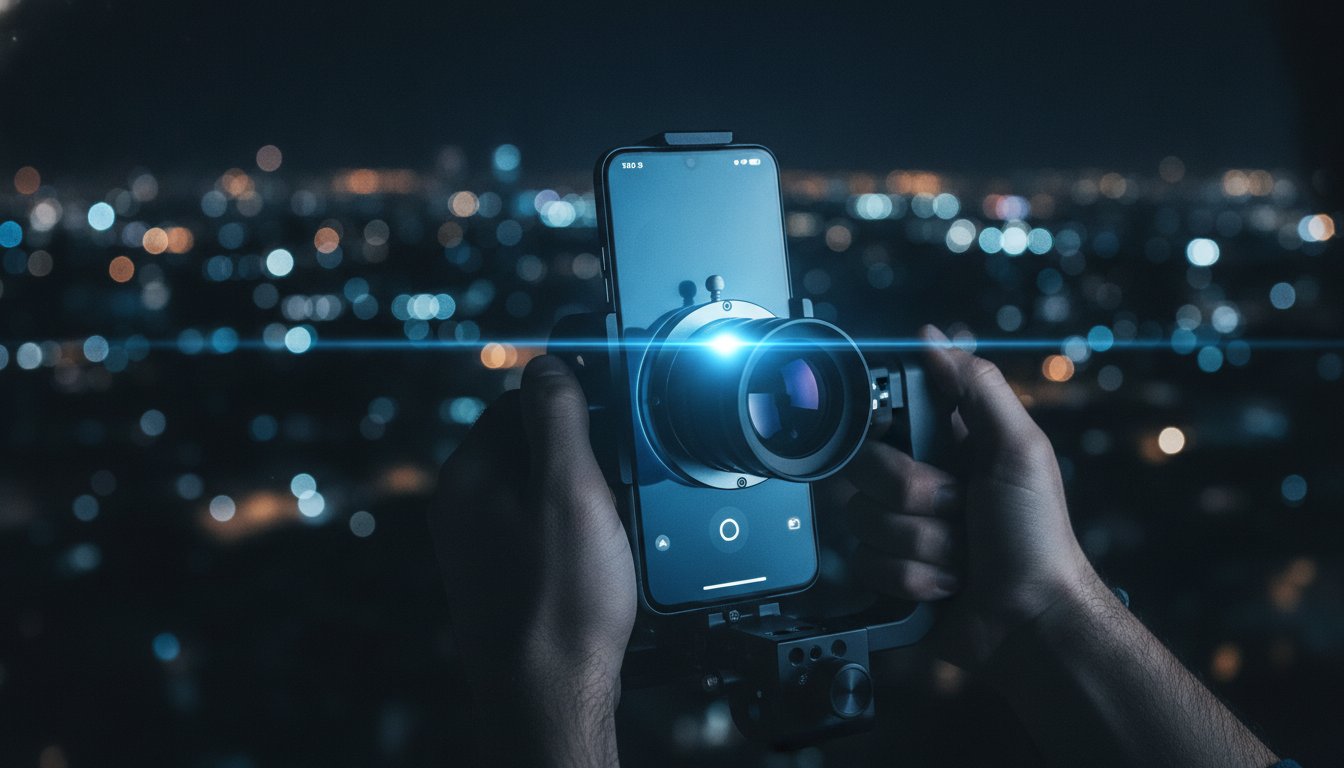
Smartphone Anamorphic Lens: The 2026 Guide to Cinematic Mobile Video
Digital cropping is the fastest way to destroy your video quality. You’ve likely tried to fake the movie look by adding black bars in editing, but your footage ends up looking soft and amateurish. It’s frustrating when your high-end mobile sensor doesn’t deliver the “wow” factor you see in professional films. The secret isn’t in your software. It’s in the optics. By attaching a high-quality smartphone anamorphic lens, you stop losing pixels and start gaining character. You get that authentic ultra-widescreen perspective without the distortion of a standard wide lens.
We know you’re tired of confusing technical jargon like squeeze factors and de-squeezing. You want results, not a math lesson. This guide is your roadmap to professional mobile production in 2026. You’ll discover how to achieve authentic horizontal lens flares and maintain professional-grade resolution on your iPhone or Android device. We’ll show you exactly how to use the latest Blackmagic Camera app updates to handle the technical heavy lifting. Get ready to transform your phone into a true cinema camera and see your creative vision come to life.
Key Takeaways
- Master the “Squeeze”: Understand the technical difference between 1.33x and 1.55x ratios to choose the perfect cinematic frame for your story.
- Maximize Your Resolution: Learn why a smartphone anamorphic lens is the only way to capture a wider field of view without sacrificing 4K or 8K image quality.
- Capture Iconic Flares: Discover how to achieve professional horizontal blue lens flares that give your mobile video an authentic Hollywood character.
- Streamline Your Workflow: Get the exact list of 2026 apps needed to de-squeeze your footage in real-time for an efficient, pro-level production process.
- Build Your Pro Rig: Identify the essential mounting hardware and adapters needed to secure high-end optics like the PRO 1.55X BLUE ANAMORPHIC LENS to your device.
What is a Smartphone Anamorphic Lens?
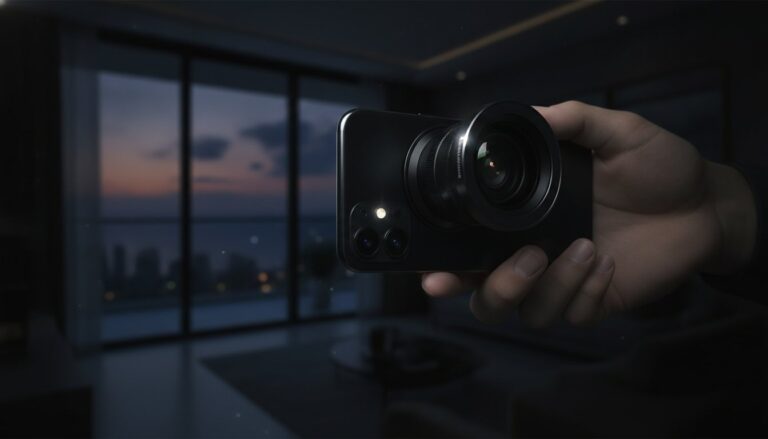
Hollywood wasn’t always widescreen. In the 1950s, filmmakers needed a way to compete with the growing popularity of television. They created anamorphic lenses to squeeze a massive, epic field of view onto standard film strips. Fast forward to 2026, and that same cinematic power is available for your mobile device. A smartphone anamorphic lens isn’t just a filter or a digital trick. It’s a precision-engineered optical tool that changes how light hits your sensor. It brings the grand scale of the cinema to the device in your pocket.
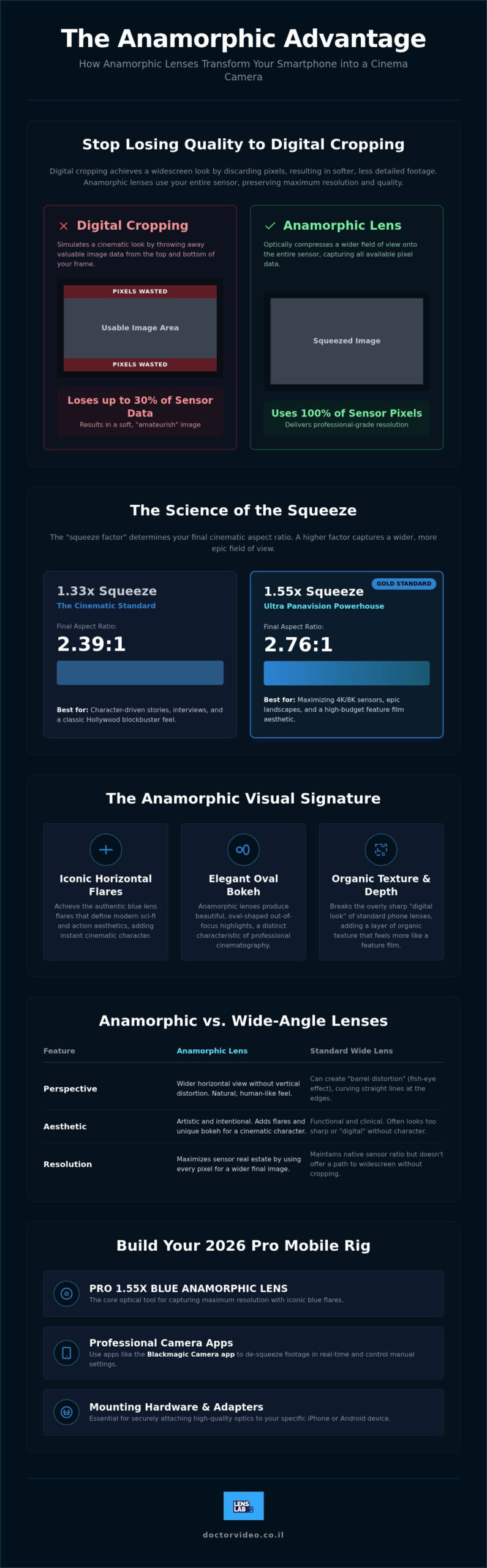
The lens works by optically compressing the image horizontally. Your phone records a “squashed” version of reality. Later, you “de-squeeze” it using software to reveal a breathtaking widescreen aspect ratio. This process is vastly superior to digital cropping. Standard cropping forces you to throw away up to 30% of your sensor’s data just to get black bars on the top and bottom. An anamorphic lens uses every single pixel. You get more detail, more light, and more professional-grade resolution. It’s a pixel-saving powerhouse for creators who refuse to compromise on quality.
Standard smartphone lenses often suffer from the “soap opera effect.” They look too clinical, too sharp, and too digital. This happens because mobile sensors are designed for maximum accuracy, not artistic character. Anamorphic optics break that digital perfection. They add a layer of organic texture and depth that transforms raw footage into a visual masterpiece. It’s the difference between a home movie and a feature film.
The Visual Signature: Flares and Bokeh
The horizontal lens flare is the ultimate cinematic calling card. When a light source hits the glass, it stretches into a beautiful, vibrant streak across the frame. Our PRO 1.55X BLUE ANAMORPHIC LENS is specifically engineered to deliver those high-end blue flares that define modern sci-fi and action aesthetics. Beyond flares, look at the background. Standard lenses produce round bokeh, but anamorphic lenses create elegant, oval-shaped blurs. These visual artifacts are the signatures of professional cinematography. They instantly signal to your audience that they’re watching something special. If you want to go deeper on this topic, our complete guide on how to get cinematic flares on phone covers every technique and tool you need to master this iconic look.
Anamorphic vs. Wide-Angle Lenses
Choosing between these two depends on your storytelling goals. A traditional wide-angle lens expands your view, but it often introduces “barrel distortion.” This makes straight lines look curved and faces look stretched at the edges of the frame. A smartphone anamorphic lens gives you that wide perspective without the “fish-eye” look. It maintains a more natural, human-like field of view while capturing more of the environment.
- Perspective: Anamorphic lenses capture more horizontal information without stretching the vertical frame.
- Aesthetic: Wide-angle lenses are functional; anamorphic lenses are artistic.
- Resolution: Wide lenses maintain native ratios, while anamorphic lenses maximize sensor real estate for wider exports.
The Science of the Squeeze: 1.33x vs. 1.55x Lenses
The “squeeze factor” is the most important number in mobile cinematography. It determines exactly how much extra world you can pack into your frame. When you use a smartphone anamorphic lens, you’re essentially performing a magic trick with light. You’re taking a wide-screen view and compressing it to fit your phone’s standard sensor. This isn’t just about fitting more objects in the shot. It’s about how that light is distributed across your pixels. It’s about maximizing every bit of data your camera can record.
Most creators start their journey with a 1.33x squeeze. This factor expands your footage to a 2.39:1 aspect ratio. This is the classic cinematic standard used in thousands of Hollywood blockbusters. It’s a reliable choice that works perfectly for character-driven stories and interviews. However, if you want to push the boundaries of what a phone can do, you need to look at the 1.55x squeeze. This is where mobile video truly starts to look like a high-budget feature film.
Using a 1.55x lens transforms your device into an Ultra Panavision powerhouse. It produces a massive 2.76:1 ratio. Because the squeeze is more aggressive, the lens uses 100% of your sensor’s vertical resolution. You aren’t wasting a single pixel on black bars during the recording process. You’re capturing more data and more detail than any digital crop could ever provide. It allows your 4K or 8K sensor to breathe and perform at its absolute limit.
Why 1.55x is the Gold Standard for 2026
Modern smartphones in 2026 feature incredibly high-resolution sensors with advanced light processing. A 1.55x squeeze is designed to take full advantage of these hardware leaps. It provides a more dramatic visual impact. The blue flares are longer and more intense. The oval bokeh is more pronounced and elegant. It’s the ultimate choice for creators who want their work to stand out on high-resolution displays. If you’re ready to upgrade your visual storytelling, you can explore the PRO 1.55X BLUE ANAMORPHIC LENS to see the difference for yourself.
Aspect Ratio Comparison
Visualizing the difference helps you choose the right tool for your specific project. Think of it as choosing the size of your canvas. Both options provide a professional look, but they serve different emotional purposes in your edit.
- 1.33x Squeeze (2.39:1): Known as the “Cinemascope” look. It’s perfect for documentaries and standard narrative films. It feels professional and polished without being visually overwhelming.
- 1.55x Squeeze (2.76:1): Known as the “Ultra Panavision” look. This is best for sprawling landscapes, intense action sequences, and high-fashion content. It creates a sense of immense scale and epic proportion.
Your choice depends on your creative style. If you want a subtle cinematic touch, 1.33x is a great starting point. If you want to make a bold statement that screams “professional production,” the 1.55x squeeze is the undisputed winner for 2026 creators.
Why Mobile Creators Need Anamorphic Optics
Most mobile footage suffers from a clinical, flat appearance. It looks like a phone shot it. A smartphone anamorphic lens changes that instantly. It introduces optical imperfections like light streaks and oval bokeh that our brains associate with big-budget movies. These artifacts aren’t flaws. They are the texture of professional storytelling. By adding this glass to your kit, you move beyond the “home movie” aesthetic and start producing work that commands respect.
Don’t listen to the “just crop it” crowd on forums. When you crop a 4K video to widescreen in editing, you’re throwing away millions of pixels. Your image becomes softer and noisier. In 2026, with 8K mobile sensors becoming the standard, every pixel is a valuable asset. Using anamorphic glass preserves that resolution. You get the wide look while keeping the razor-sharp detail that makes your content pop on high-resolution displays. It’s about working smarter, not just wider.
Scale is everything in urban and landscape videography. A standard lens can feel claustrophobic in a dense city or a vast mountain range. Anamorphic optics allow you to capture the height of a skyscraper and the width of the street in a single, epic frame. You can also use lens flares strategically to direct the viewer’s eye. A bright horizontal streak can point directly toward your subject, acting as a visual guide through your composition. It’s a powerful way to control the narrative flow of every shot.
Standing Out in the Social Feed
Social media is a constant battle for attention. Widescreen bars on a vertical feed create a “letterbox” effect that signals premium quality to the viewer. It breaks the monotony of standard mobile clips and forces people to stop scrolling. For vloggers, the wider field of view is a game changer. It means you can show more of your environment without holding your arm at an awkward distance. If you’re serious about elevating your vlogging content, our guide to the best anamorphic lens for vlogging breaks down the top gear picks for 2026 to help you make the right choice. If you’re serious about your setup, check out our Cinematic Phone Camera Accessories: 2026 Creator’s Guide to see how to rig your phone for these high-impact shots.
The Psychology of Cinema
Widescreen formatting triggers a specific psychological response in your audience. It suggests an “epic” scale, even for simple, everyday scenes. This formatting also helps separate your subject from the background by creating a unique sense of depth and compression. Using the PRO 1.55X BLUE ANAMORPHIC LENS adds a cool, tech-focused mood with its signature horizontal blue streaks. It’s an easy way to establish a professional visual identity. You’re no longer just “making a video.” You’re crafting a cinematic experience.
Mastering the Workflow: How to De-Squeeze Your Footage
Shooting with a smartphone anamorphic lens feels strange the first time you hit record. You look at your screen and see a distorted, tall, and skinny world. Don’t let this throw you off. This “squashed” look is proof that your optics are working. It means the glass is successfully compressing a massive field of view onto your phone’s sensor. The real magic happens when you de-squeeze that data to reveal the cinematic masterpiece hidden inside. Mastering this workflow is what separates the hobbyists from the serious creators.
You have two ways to handle this process: in-camera or in post-production. Most professionals prefer to see the final result while they are actually filming. This allows for better composition and more accurate focus. If you record without a preview de-squeeze, you are essentially flying blind. You might miss a beautiful lens flare or cut off a subject’s head because the framing looks different once it’s stretched out. Modern mobile hardware makes this real-time correction seamless and fast.
Apps for Real-Time Filming
To see your true widescreen frame while on set, you need a dedicated cinematography app. As of August 2026, the Blackmagic Camera app is the industry favorite. Version 3.3 for iOS and version 3.4.1.0010 for Android both offer robust anamorphic support. Within the settings, you can select your specific squeeze factor. If you are using our pro-level glass, you’ll set this to 1.55x. The app instantly stretches the preview so you can compose your shots with total confidence. Filmic Pro remains a powerful alternative, offering similar manual controls for a subscription fee. For more device-specific advice, read our Anamorphic Lens for Android: The Ultimate Cinematic FAQ (2026).
Post-Production De-Squeeze Guide
If you prefer to handle the transformation after the shoot, your desktop editor is ready for the task. In Adobe Premiere Pro, you can right-click your footage, select “Modify,” and then “Interpret Footage.” Change the Pixel Aspect Ratio to match your lens factor. In DaVinci Resolve, you can achieve this in the clip attributes menu. De-squeezing is simply multiplying the horizontal scale by your lens factor (e.g., 1.55). This technical step restores the organic proportions of your image. For those who edit on the move, LumaFusion is the best mobile solution. It features built-in presets that allow you to de-squeeze 1.55x clips with a single tap. Ready to see your footage in a whole new light? Get the PRO 1.55X BLUE ANAMORPHIC LENS and start your cinematic journey today.
Exporting is the final hurdle. Ensure your timeline settings match your new aspect ratio. For a 1.55x lens, you are looking at a massive 2.76:1 ratio. When you hit export, your video will maintain those iconic cinematic bars on standard screens, signaling to every viewer that they are watching professional-grade content. You’ve successfully moved beyond the phone look.
Building Your Pro iPhone Filmmaking Kit
Owning a smartphone anamorphic lens is just the first step toward cinematic excellence. To truly compete with professional productions, you need a cohesive ecosystem of tools. Your kit should be fast, reliable, and capable of handling any lighting condition. It’s about more than just the glass. It’s about creating a stable environment where your creativity can thrive without technical interruptions. A well-rigged phone feels less like a mobile device and more like a dedicated cinema camera.
The centerpiece of your rig should be the PRO 1.55X BLUE ANAMORPHIC LENS. This lens is designed for the modern creator who demands the highest possible resolution and character. Once you have the glass, you must decide how to mount it. For those who value speed and portability, the JJC Magnetic Lens Filter Mount Adapter for iPhone is a game changer. It allows you to swap filters and lenses in seconds. If you’re building a heavy-duty production rig with microphones and lights, a traditional cage provides the mounting points you need for total stability.
One tool that most beginners overlook is the Neutral Density (ND) filter. These are mandatory for cinematic video. To achieve natural motion blur, your shutter speed must follow the “180-degree rule.” This often means shooting at a slow shutter speed that would normally overexpose your shot in bright daylight. Using an ND filter allows you to cut the light and keep your settings perfect. Without this control, your anamorphic footage will look choppy and digital, regardless of how good the lens is. It’s the secret to that smooth, dream-like motion seen in high-end films.
The LensLab Advantage
We believe professional results should be accessible to everyone. Our specific blue flare coating is engineered to provide that sought-after Hollywood aesthetic without the need for expensive post-production plugins. Whether you’re an iPhone power user or an Android enthusiast, our optics offer the quality you need to stand out. You can explore our full range of recommendations in our iPhone Filmmaking Kit: The 2026 Guide to Cinematic Mobile Gear. We ship worldwide from Israel and provide 24/7 support to ensure your project never stops moving.
Pro Tips for Better Results
Anamorphic lenses capture a much wider perspective, which makes camera shake more noticeable. Use a tripod for static scenes or a high-quality gimbal for movement. This ensures your widescreen frame remains level and professional. To trigger those iconic horizontal flares, position your light source just off-camera or slightly to the side of your subject. For a complete breakdown of the techniques and hardware behind achieving this effect, our guide on how to get cinematic flares on phone walks you through every step in detail. Finally, keep your glass pristine. Even a tiny fingerprint can smear your flares and ruin the clarity of your shot. Use a dedicated Lens Cleaning Spray and a microfiber cloth before every single take. Your audience will see the difference in the details.
Take the Director’s Chair Today
Professional mobile filmmaking is no longer a dream for the future. It’s a reality you can grasp right now. You’ve discovered how a smartphone anamorphic lens preserves every pixel while adding the legendary texture of cinema. From choosing between 1.33x and 1.55x ratios to mastering the de-squeeze in the latest 2026 apps, you now have the knowledge to outshine the competition. You’re ready to stop cropping your footage and start capturing true widescreen data with organic character.
It’s time to put these powerful tools to work. We provide pro-grade blue flare optics that deliver the exact visual signature you’ve been searching for. Our team offers fast national shipping across Israel and 24/7 expert creator support to ensure your production never hits a wall. Upgrade your mobile cinematography with the PRO 1.55X BLUE ANAMORPHIC LENS and transform your phone into a professional cinema rig today. Your audience is waiting for your next masterpiece. Go create something legendary and see the difference that high-end optics make in your story.
Frequently Asked Questions
Do I need a special app to use a smartphone anamorphic lens?
You need a dedicated app to preview your footage correctly while filming. Without a de-squeeze feature, your screen shows a distorted, “squashed” image that is difficult to compose. Professional apps like Blackmagic Camera or Filmic Pro allow you to see the final widescreen result in real-time. This ensures your framing is perfect before you hit the record button.
Can I use an anamorphic lens for photography or is it only for video?
Anamorphic lenses are incredible for photography. They allow you to capture sprawling landscapes or architectural shots with a unique perspective that standard lenses can’t match. You will simply need to stretch the image horizontally in an editor like Photoshop after the shoot. This process creates a high-resolution panoramic photo without the stitching errors of a traditional panorama mode.
Will an anamorphic lens work with my phone’s gimbal?
Most modern gimbals can handle a smartphone anamorphic lens with ease. However, the added weight of the glass can shift your phone’s center of gravity. You may need to use small counterweights on the gimbal arm to achieve a perfect balance. This prevents your motors from overheating and ensures your cinematic shots remain buttery smooth and stable.
What is the difference between a 1.33x and a 1.55x anamorphic lens?
The primary difference is the width of your final frame. A 1.33x lens produces a 2.39:1 aspect ratio, which is the classic cinema standard. A 1.55x lens stretches your field of view even further to a massive 2.76:1 ratio. Choosing a 1.55x squeeze factor provides a more aggressive, ultra-wide look that is perfect for epic action and vast environments.
How do I get those blue horizontal flares on my phone?
Authentic horizontal flares are a result of specialized lens coatings. The PRO 1.55X BLUE ANAMORPHIC LENS is engineered to react to light sources like street lamps or car headlights. When light hits the internal optics, it stretches into a vibrant blue streak across the frame. Simply point your camera toward a light source to trigger this iconic cinematic effect instantly.
Does an anamorphic lens work on Android phones?
Yes, these lenses are compatible with almost any Android device. The optics themselves are universal. You just need a proper mounting solution, such as a dedicated phone cage or a universal lens clip. Once the lens is attached, use the Android version of the Blackmagic Camera app to de-squeeze your footage and see your widescreen masterpiece in real-time.
Why does my anamorphic footage look blurry on the edges?
Some edge softness is a natural characteristic of anamorphic optics, often called “fall-off.” This effect actually helps draw the viewer’s eye toward the center of the frame, adding to the vintage film aesthetic. If the blur is excessive, ensure your lens is perfectly centered over your phone’s primary camera sensor to maximize clarity and minimize distortion.
Can I use ND filters with my anamorphic lens?
Using ND filters with your anamorphic lens is highly recommended for professional results. They allow you to maintain a slow shutter speed in bright conditions, which is essential for natural-looking motion blur. You can use a mounting system like the JJC Magnetic Lens Filter Mount Adapter to stack your filters in front of the anamorphic glass for total exposure control.