
ND Filter Chart for Phones: Which Strength for Which Light?
Here’s the short version of an ND filter chart for phone video: bright midday sun usually needs around ND64 (6 stops) or more to reach a 1/50 shutter, overcast skies need roughly ND8–ND16, open shade ND4–ND8, and golden hour ND2–ND4 or none at all. Phones have bright, fixed apertures, so they need stronger ND than most people expect.
Use the chart below as a starting point, then fine-tune with your phone’s shutter readout.
Why phones need ND filters at all
A DSLR can close its aperture to control light. Almost every phone camera has a fixed aperture, typically very bright (around f/1.5 to f/2.0). In daylight, the only way the phone can avoid overexposure is by using an extremely fast shutter speed, often 1/2000 or faster. That freezes every frame, so motion looks choppy and “video-like” instead of smooth and cinematic.
An ND (neutral density) filter is sunglasses for your lens. It cuts light evenly without changing color, allowing the phone to use a slower shutter that follows the 180-degree rule: shutter speed of about 1 / (2 × frame rate). That’s 1/50 for 24 or 25 fps, and 1/60 for 30 fps.
ND strengths decoded
Each “stop” halves the light. ND numbers tell you the light-reduction factor:
- ND2 = 1 stop (half the light)
- ND4 = 2 stops
- ND8 = 3 stops
- ND16 = 4 stops
- ND32 = 5 stops
- ND64 = 6 stops
- ND128 = 7 stops
- ND256 = 8 stops
- ND1000 ≈ 10 stops (mainly for long-exposure photography)
Stacking two filters adds their stops: ND8 + ND4 = 5 stops, the same as ND32. Stacking can introduce slight softness, vignetting or reflections, so use one filter where possible.
The phone ND filter chart
These starting points assume 24–30 fps video at the phone’s base ISO, aiming for 1/50 or 1/60 shutter. Phones differ in aperture and base ISO, so treat them as a first guess.
Bright midday sun, clear sky
ND64 to ND128 (6–7 stops). On sand, water or snow, light bounces everywhere, and you may need ND256 or a little more.
Bright sun, subject in front-light, mid-morning or afternoon
ND32 to ND64 (5–6 stops).
Hazy sun or thin clouds
ND16 to ND32 (4–5 stops).
Overcast day
ND8 to ND16 (3–4 stops). Heavy, dark cloud may need only ND4–ND8.
Open shade (subject in shadow, bright sky above)
ND4 to ND8 (2–3 stops).
Golden hour / sunset
ND2 to ND4 or none. As the sun drops, remove the filter.
Indoors, blue hour, night
No ND. There’s not enough light; adding ND just pushes ISO up and adds noise.
How to dial it in on location
- Open a camera app that shows shutter speed, such as a pro video mode or a third-party app with manual controls.
- Set frame rate first: 24, 25 or 30 fps.
- Lock ISO at the lowest value your phone allows, or let it float while you watch the shutter.
- Attach your best-guess ND from the chart.
- Read the shutter speed. If it’s faster than your target, go stronger. If ISO climbs or the image is dark at 1/50, go weaker.
- Lock exposure and record.
If your phone’s camera app shows no shutter readout, watch motion: fast-moving hands or water that look crisp and stuttery mean the shutter is still too fast.
Fixed vs variable ND filters
Fixed ND
One strength per filter. Fixed filters tend to give more even color and no cross-polarization artifacts. A kit lets you cover the chart: the Freewell Mega 14-pack filter kit bundles many filters in one case so you can match the strength to the light instead of compromising. Check the product page for the exact filters and mounting options included.
Variable ND
Two polarizing layers rotate to adjust strength in one filter. Convenient for changing light, but at the strongest end some variable NDs show a dark “X” pattern, and very wide lenses can show uneven darkening. Stay out of the extreme end of the rotation.
Clip-on mounts
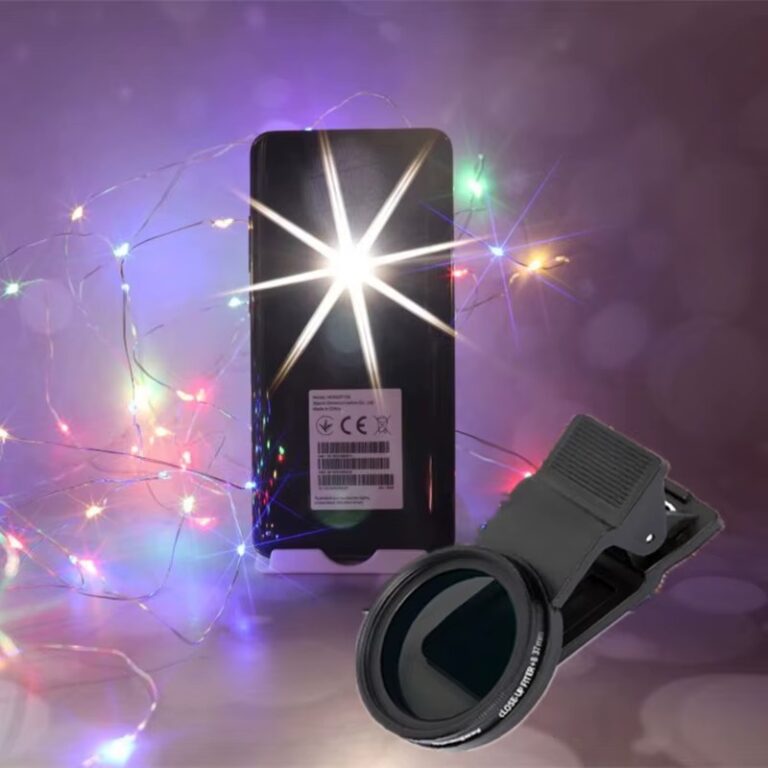
Phone ND filters usually attach with a clamp or a magnetic adapter. The GiAi 37mm phone ND filter with clamp uses a standard 37mm thread on a clip, so it sits over the main camera on most phones.
Common ND mistakes on phones
- Too weak a filter. ND4 or ND8 in full sun barely changes shutter speed on a bright-aperture phone.
- Using the wrong camera. If the phone switches to the ultra-wide or telephoto, the ND isn’t covering the lens that’s recording. Disable auto switching.
- Light leaks. Gaps between the clip and the phone let sunlight bounce in, causing haze. Shade the lens with your hand or a hood.
- Not locking exposure. The phone may raise ISO instead of slowing the shutter. Use manual controls.
- Dirty filters. Every extra surface adds a chance for smudges.
Quick checklist
- Frame rate set, target shutter = 1 / (2 × fps)
- Base ISO locked or monitored
- ND chosen from the chart for current light
- Shutter readout checked and filter adjusted
- Auto lens switching off
- Clip seated flat with no light leaks
- Exposure locked before recording
Want to see how ND fits into the bigger picture? Our guide to a cinematic look on your phone combines ND with frame rate, color and movement.
FAQ
What ND filter is best for phone video in sunlight?
Usually ND64 or stronger for 1/50 shutter, because phones have very bright fixed apertures. Reflective scenes need more.
Can I use ND filters for photos?
Yes, for long exposures like silky waterfalls in daylight, usually with a tripod and stronger filters such as ND1000.
Do ND filters change color?
Good ones are close to neutral, but strong filters can add a slight tint. Lock white balance and correct in editing if needed.
Is ND the same as a polarizer?
No. A polarizer cuts reflections and deepens skies, reducing light by only around 1–2 stops as a side effect.
Match the filter to the light, every time.
Grab a multi-strength filter kit or a clamp-on 37mm ND, and combine filters and lenses with the Mix & Match – any 3 for $129 offer. Browse the shop – shipping is free worldwide.