How to Shoot Jewelry with a Phone Macro Lens (Step-by-Step)
Jewelry photography with a phone works best when you control three things: soft, broad light, a clean background, and a macro lens that lets you fill the frame with the piece instead of cropping a tiny ring out of a wide shot. Get those right and the phone’s sensor is more than good enough for product listings, Instagram and TikTok.
This guide walks through the full setup, from building a cheap light tent to choosing camera settings, so your rings, chains and earrings look as sharp and sparkly online as they do in hand.
Why jewelry is harder than other products
Jewelry combines everything cameras struggle with: tiny subjects, mirror-like metal, transparent stones and fine detail like engraving or prong settings. Your phone’s main camera can’t focus closer than a few inches, so most people step back and crop, which throws away resolution. Polished metal reflects whatever is around it, including you, the phone and the ceiling lamp. And gemstones only sparkle when light hits them from specific angles.
The solution is not more expensive gear. It’s a controlled environment and the right close-focus optic.
What you need
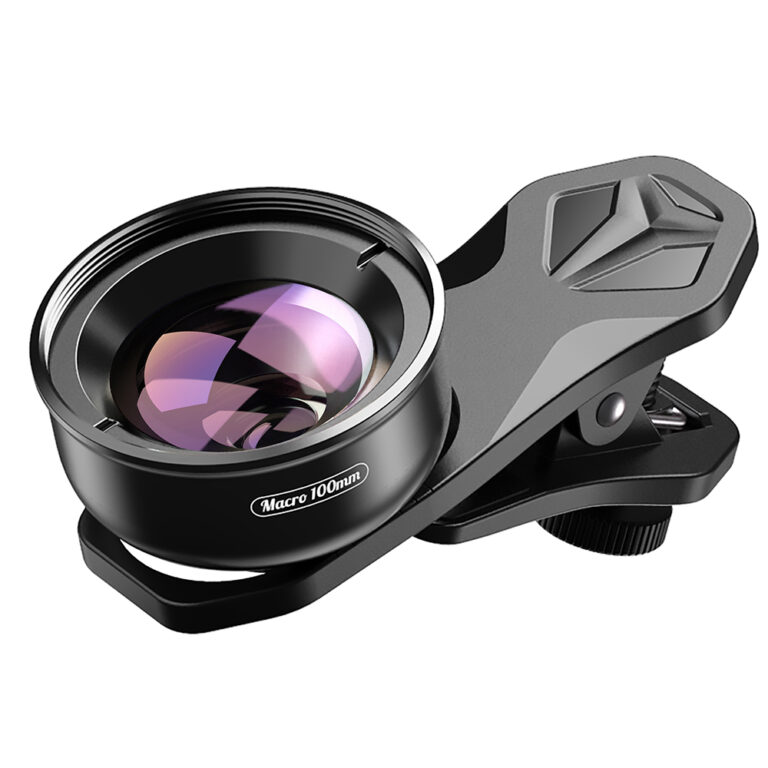
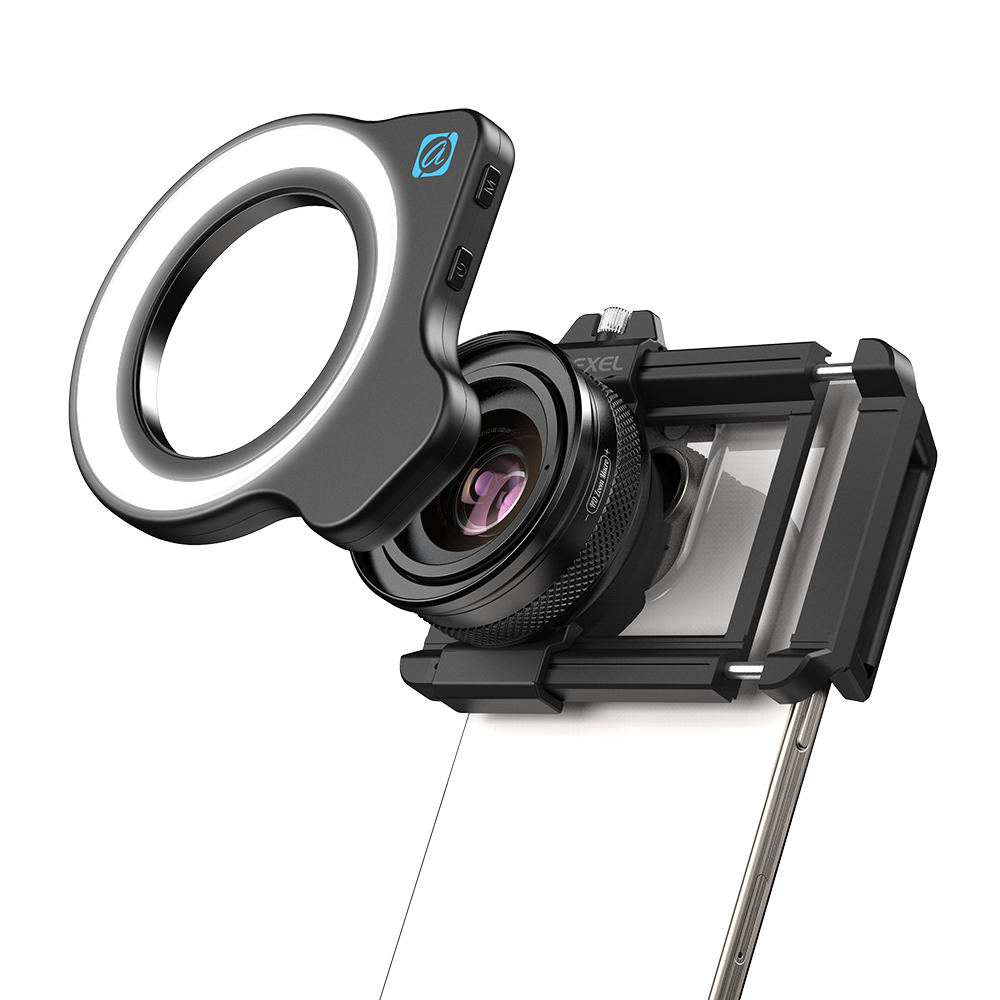
- A macro lens. A clip-on macro lets the phone focus a short distance from the subject so a ring can fill most of the frame. The Apexel 10x/20x macro lens with built-in LED is handy for jewelry because the ring light gives even fill right at the working distance. For a little more breathing room between lens and subject, the 65mm super macro lens is a good option for pendants, earrings and full rings.
- Diffused light. A large window with indirect daylight, or two LED panels pushed through white fabric or baking paper.
- A light tent or white card. A foldable light box, or a few sheets of white foam board arranged around the piece.
- Backgrounds. White or light gray paper for marketplace listings; slate, linen, velvet or wood for lifestyle shots.
- Support. A small tripod or phone clamp. At macro distances, hand shake is magnified.
- Props for positioning. Museum putty, a ring stand, a clear acrylic block or a jewelry bust.
Step-by-step: shooting a ring
- Clean the piece. Fingerprints and dust that are invisible to the eye become obvious at macro magnification. Wipe with a microfiber cloth and handle with cotton gloves afterward.
- Clean your lenses too. A smudge on the phone lens or the clip-on optic causes haze that looks like low contrast. Our guide on how to clean your smartphone lenses covers the safe way to do it.
- Build the light environment. Place the ring inside the tent or surround it with white cards on three sides. The goal is that every reflective surface of the metal “sees” white, not your room.
- Mount the phone. Put the phone on a tripod and attach the macro lens over the main (1x) camera. Center it carefully; a misaligned clip causes dark corners or blur on one side.
- Find the working distance. Macro lenses have a fixed sweet spot. Slide the phone or the ring slowly until the detail snaps into focus, then lock focus (long-press on iPhone, tap-and-hold or manual focus on most Android camera apps).
- Set exposure. Pull exposure down slightly so polished highlights don’t clip to pure white. You want to see texture in the brightest metal.
- Use the self-timer. A 3-second timer prevents the tap from shaking the frame.
- Take a series. Shoot the front, a three-quarter angle, the profile (to show the setting height), and a detail of the stone or hallmark.
Lighting tricks for metal and stones
Gold and silver
Metal looks best with large, soft light sources creating long gradients. If a band looks flat gray, add a strip of black card just outside the frame on one side. The reflection of that black edge gives the metal shape and contrast. Professional product photographers use this trick constantly.
Diamonds and clear stones
Sparkle comes from small, hard points of light. After setting up your soft base light, add one small point source, such as a phone flashlight or a tiny LED, from above or slightly behind. Move it a few millimeters at a time and watch the stone fire up. In video, a slow turntable rotation does this naturally.
Colored gemstones and pearls
Colored stones often look richer with light coming through them from behind or below. A white card under an acrylic block can bounce light up through an emerald or sapphire. Pearls need very soft, even light to show luster without hot spots.
Camera settings that help
- Turn off portrait mode. Software blur gets confused at macro distances and can smear prongs and chains.
- Disable auto macro switching if your phone has it, so the camera stays on the main lens behind your clip-on.
- Use the lowest ISO you can. With a tripod, a slower shutter is fine for stills; low ISO keeps fine engraving clean.
- Shoot RAW or ProRAW if available, so you can recover highlights on bright metal.
- Lock white balance in a pro mode. Auto white balance shifts between shots and makes yellow gold look different from one listing photo to the next.
Depth of field and focus stacking
At high magnification, depth of field is very shallow. With a ring photographed head-on, the front of the stone may be sharp while the band behind falls out of focus. That can look elegant for social posts, but listing photos usually need everything crisp. Two options:
- Back up slightly and use the lower magnification setting of your lens. Less magnification means more depth of field.
- Focus stack. Take several photos, moving focus from front to back in small steps, then merge them with a stacking app or desktop software. It takes a little practice but delivers catalog-grade sharpness.
Composition ideas that sell
- Hero on white: the piece centered with even margins. Marketplaces and Google Shopping favor clean images.
- Scale shot: the ring on a hand or the necklace on a bust, so buyers understand size.
- Texture flat-lay: earrings on linen or stone with a dried flower or the gift box.
- Detail crop: hallmark, clasp, or the underside of the setting. Buyers trust sellers who show craftsmanship.
- Motion clip: a 5–8 second slow rotation on a turntable for Reels and product pages.
Editing without overdoing it
Keep edits honest. Raise whites a little so the background is clean, recover highlights, and add a touch of clarity to texture. Remove dust spots with a healing tool. Avoid heavy saturation on gemstones; returns happen when the stone in the box doesn’t match the photo. If you shoot a series, apply the same preset to every image so your shop grid looks consistent.
Quick checklist
- Piece cleaned, gloves on
- Phone lens and macro lens wiped
- Soft light plus white cards around the subject
- Macro lens centered on the main camera
- Focus and exposure locked, highlights not clipped
- Tripod and self-timer
- Front, angle, profile, detail and scale shots captured
- Consistent white balance and edits
FAQ
Can I photograph jewelry without a macro lens?
Yes, but you’ll need to shoot from farther away and crop, which reduces detail. Some phones have a built-in macro mode, yet many use the ultra-wide camera for it, which can add distortion. A clip-on macro on the main camera usually gives cleaner results.
Why do my rings look gray instead of shiny?
The metal is reflecting a dark or plain environment. Surround it with white cards for brightness and add a thin black strip at one edge for contrast.
Is the built-in LED on a macro lens enough?
It’s great as fill and for quick shots. For hero images, combine it with a larger soft source like a window so the light isn’t flat.
What background works best for jewelry?
White or light gray for listings, and a single textured surface for social posts. Avoid busy patterns that compete with fine details.
Make every stone and hallmark count.
Pair the LED macro lens with the 65mm super macro for both quick shots and detailed hero images, or build a kit with the Mix & Match – any 3 for $129 offer. Browse the full LensLab shop – shipping is free worldwide.