How to Use a Star Filter for Christmas Lights Photos
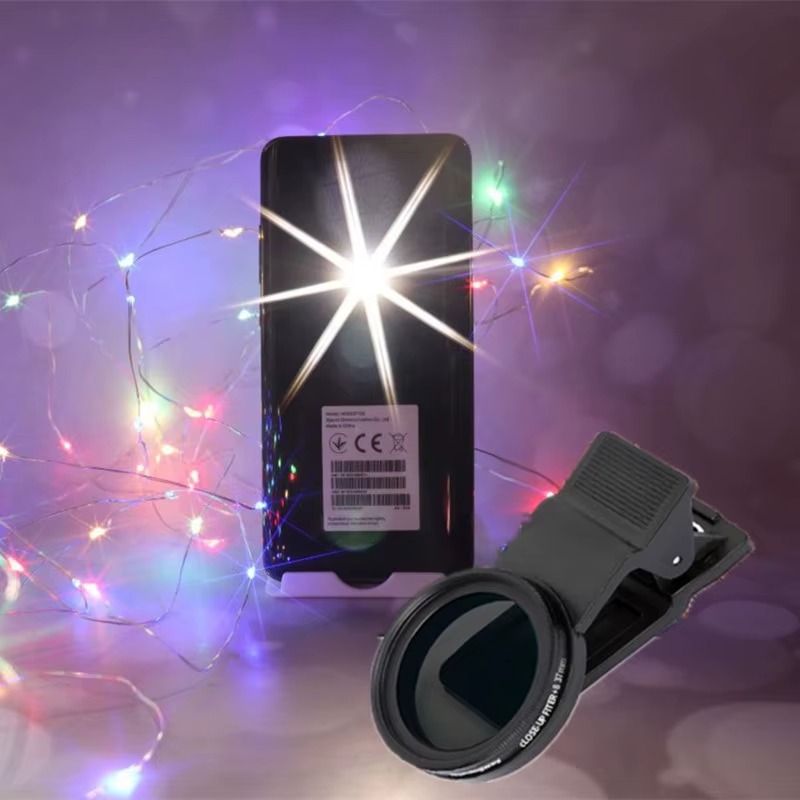
To use a star filter for Christmas lights, clip it over your phone’s main camera, frame lights that are small, bright points (fairy lights, candles, bulbs), lower the exposure so the lights stay crisp, and rotate the filter until the rays sit at an angle you like. The result is the classic holiday twinkle: every light bursts into a starburst, in photos and in video.
What a star filter does
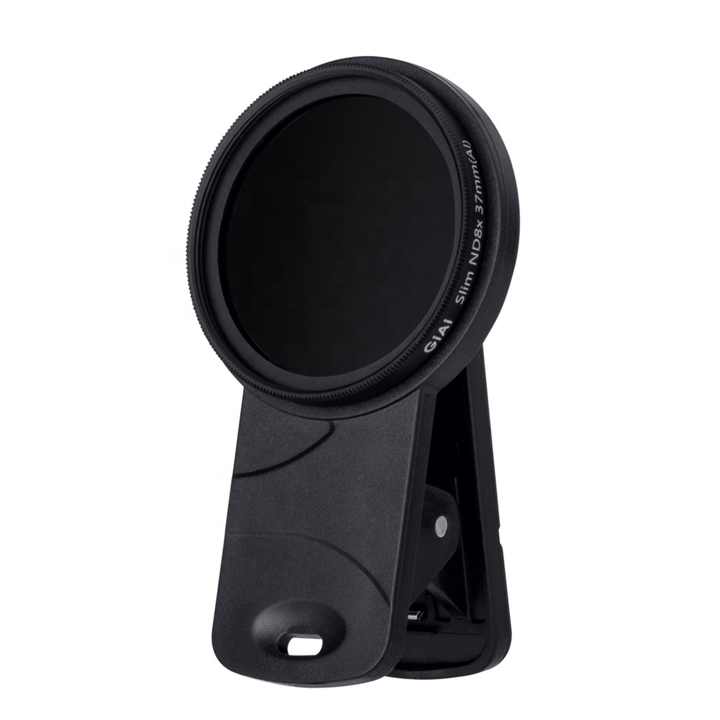
A star (or “cross screen”) filter has fine lines etched into the glass in a grid. Those lines diffract bright points of light into rays. The number of rays depends on the pattern; common designs produce four, six or eight points. The star filter for smartphones clips over the phone camera and rotates, so you can turn the rays to the angle that suits the composition. Check the listing for the exact ray pattern.
Unlike app effects, the rays react to real light. They lengthen and shorten as light intensity changes, and they flicker naturally in video.
Which lights make the best stars
- Bare bulbs and fairy lights: small, intense points create clean, defined stars.
- Candles: warm, flickering flames give soft rays and lovely movement in video.
- Street lamps and city lights: great for festive street scenes.
- Tree lights: the more points, the more sparkle, though very dense lights can overlap into a busy mess.
- Reflections on ornaments: specular highlights on glass baubles produce small, crisp stars.
Diffuse light sources like LED strips behind frosted covers, light-up signs, and large lanterns create weaker, smeared rays. Point sources work best.
Step-by-step: star filter Christmas shots
- Clean the filter and phone lens. Smudges spread light across the frame as haze, which ruins the crisp sparkle.
- Clip the filter onto the main camera and lock the camera to 1x so the phone doesn’t switch modules.
- Turn off the room lights or reduce them so the decorative lights dominate.
- Tap on a light and lower exposure until the lights are bright points and the background is darker. Overexposed lights turn into blobs with fat, washed-out rays.
- Rotate the filter while watching the screen. Diagonal rays often look more dynamic; vertical and horizontal rays feel calm and classic.
- Stabilize. Use a tripod or rest the phone on a table. Low light means slower shutter speeds.
- Shoot several options at different exposures and filter angles.
Camera settings for sparkle
- Night mode: works for photos on a tripod and can produce clean images, but it may also brighten lights into blobs. Try with and without.
- Pro mode: lower ISO and use a slower shutter on a tripod for clean, crisp stars.
- White balance: lock it. Warm white (around 3000–3500 K) keeps tungsten-style lights golden; cooler settings make them look icy.
- Focus: lock focus on the lights. Out-of-focus lights become round bokeh and lose their rays.
Holiday scenes to try
Tree portrait
Seat a person near the tree with the lights in the background and a soft lamp on their face. The tree lights twinkle, and the subject stays well exposed. Keep the brightest lights away from the face to avoid rays crossing it.
Candlelit table
Shoot a dinner table from a low angle with candles in the foreground. Rays from the flames add warmth and movement.
Window display or street market
Outdoor markets and illuminated streets are full of point lights. Arrive at blue hour, just after sunset, when the sky still has color and the lights are bright.
Ornament macro
Get close to a glass bauble reflecting tree lights. Small specular highlights become tiny, perfect stars.
Decorated house exterior
Outdoor displays look best at blue hour, roughly 15–30 minutes after sunset, when the sky still holds deep blue and balances the warm lights. Use a tripod across the street, keep the house straight, and rotate the filter so rays don’t cross the roofline awkwardly.
Gift-wrapping B-roll
Film hands wrapping presents with fairy lights in the frame. A slow push-in makes the rays shimmer.
Video with a star filter
Star filters shine in video because the rays move as the camera moves. Slow sideways slides and gentle push-ins make every light glitter. Lock exposure before recording so lights don’t pulse. Keep shots short; a few seconds of starbursts is magic, a minute is too much. Look at our guide to getting a cinematic look on your phone for camera movement ideas.
Mistakes that cause haze and mess
- Too many bright lights in frame: the rays overlap into a web. Simplify the composition or step back.
- Exposure too high: lights bloom and the whole image looks foggy. Lower exposure.
- Using it on faces in direct light: star filters soften overall contrast slightly. Use them for scenes, not beauty close-ups.
- Dirty filter: etched lines collect dust. Clean with a blower and microfiber cloth.
- Stacking too many filters: each layer adds reflections. If you’re also using other creative filters, such as those in the Freewell Mega 14-pack filter kit (check its listing for device compatibility), use one at a time unless you’re testing deliberately.
Quick checklist
- Filter and lens cleaned
- Main camera locked at 1x
- Room lights dimmed, point light sources in frame
- Exposure lowered so lights are crisp
- Focus locked on the lights
- Filter rotated to the best ray angle
- Tripod or stable surface
- Short video clips with slow movement
FAQ
Can I get a star effect without a filter?
Phones can produce small natural starbursts on very bright lights, but the effect is limited and inconsistent. A filter gives controllable, dramatic rays.
Why do my lights look like blobs instead of stars?
Exposure is too high, focus is off, or the lights are diffuse. Lower exposure and lock focus on point lights.
Does a star filter work in daylight?
Only on very bright highlights, such as sun reflecting on water or chrome. It’s mainly a night and indoor filter.
How do I change the angle of the rays?
Rotate the filter in its mount. The rays rotate with it.
Make every light on the tree twinkle.
Clip on the star filter for instant sparkle or explore a full filter kit, and combine your favorites with the Mix & Match – any 3 for $129 offer. Shop now in our store with free worldwide shipping.