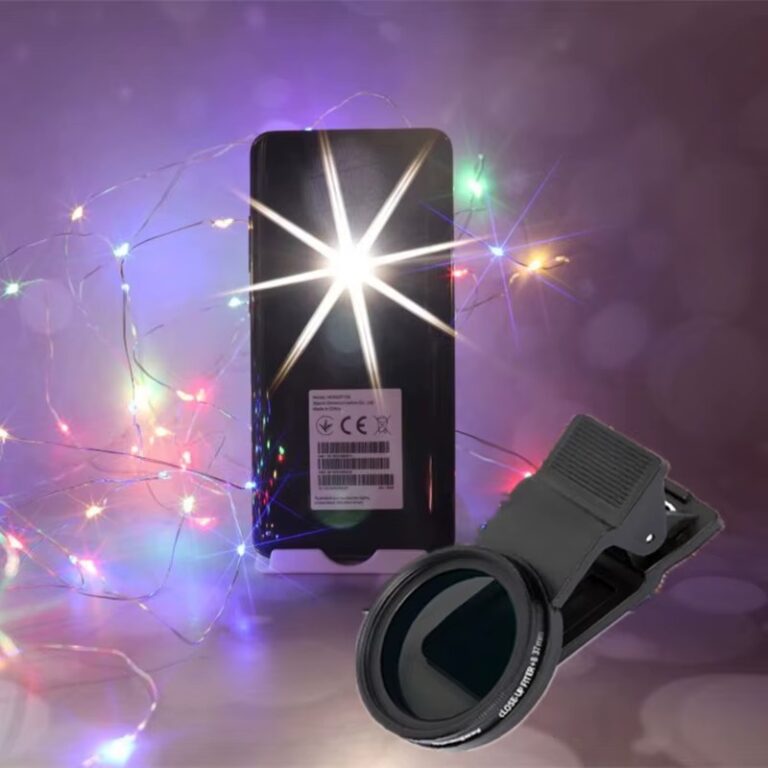

Circular Polarizer on a Phone: Kill Reflections, Deepen Skies
A polarizer filter for phone cameras does two things software can’t fully fake: it removes glare from water, glass and wet surfaces, and it deepens blue skies while making foliage look richer. Clip it over the main camera, rotate the front ring while watching the screen, and stop when reflections fade or the sky darkens. The effect is strongest when the sun is at a right angle to where you’re pointing.
How a circular polarizer works (without the physics lecture)
Light reflecting off non-metallic surfaces like water, glass, leaves and paint becomes partly polarized, meaning it vibrates mostly in one direction. Skylight is also polarized, especially at certain angles to the sun. A polarizing filter blocks light vibrating in one direction. Rotate it to line up against the glare and that glare disappears, revealing what’s underneath: the riverbed below the water, the product behind the shop window, the true green of a leaf.
“Circular” refers to an extra layer that keeps the filter compatible with autofocus and metering systems. For phones, a CPL is the standard choice.
What a CPL can do on a phone
Remove reflections from water
Point down into a lake, a pool or a tide pool and rotate: the surface glare fades and you can see stones, fish or coral beneath. This is one of the most dramatic before/after effects in mobile photography.
See through glass
Shop windows, car windshields, museum cases and aquarium glass all reflect the scene behind you. A polarizer cuts many of those reflections, especially when you shoot at an angle to the glass rather than straight on.
Deepen blue skies
With the sun to your left or right, rotating the filter darkens the sky and makes white clouds pop. It’s a natural, in-camera effect that holds up better than pushing saturation in editing.
Richer foliage and less shine
Leaves reflect sky light, which washes out their color. A CPL removes that sheen, so greens and autumn colors look denser, especially after rain.
Control glare on skin, products and paint
Shiny cars, glossy packaging, polished wood and oily skin all show hot spots. A polarizer reduces them, which is why product and car photographers use them constantly.
What it can’t do
- Remove reflections from bare metal. Metal reflections aren’t polarized the same way, so chrome and silver stay shiny.
- Darken the sky evenly at every angle. When the sun is directly behind you or in front of you, the sky effect is minimal.
- Replace an ND filter. A CPL typically cuts only about one to two stops of light, not enough for slow shutter video in bright sun.
How to use a polarizer on your phone, step by step
- Attach it to the main camera. The KnightX 37mm/52mm CPL clip-on polarizer clips onto the phone and keeps the filter ring free to rotate. Make sure it’s centered and flat.
- Keep the phone on 1x. Disable automatic camera switching so the phone doesn’t jump to a lens the filter doesn’t cover.
- Find the sun. Point your index finger at the sun and stick your thumb out at 90°. The sky in the direction of your thumb, rotating around your finger, is where polarization is strongest.
- Rotate slowly while watching the screen. Reflections and sky brightness change as you turn. Stop at the point that looks best; maximum effect isn’t always the most natural.
- Re-check after recomposing. If you switch from landscape to portrait orientation, the filter’s angle changes too, so rotate again.
- Adjust exposure. The phone will compensate automatically, but in tricky light lower exposure slightly to keep skies rich.
Polarizer tips for video
- Set the rotation before you start panning. As you pan, your angle to the sun changes and the sky can visibly darken or brighten mid-shot.
- For car interiors and driving shots, a CPL cuts windshield reflections of the dashboard.
- Combine with a lower-strength ND when you need both glare control and a slower shutter. Some kits, like the Freewell Mega 14-pack filter kit, include a range of filters so you can choose the combination for the scene; check the listing for the exact contents.
Common problems and fixes
Patchy, uneven sky
Wide-angle views cover a large part of the sky with different polarization levels, so one side gets darker than the other. Back off the rotation, avoid the ultra-wide camera, or frame less sky.
Rainbow patterns in windows or plastic
Tempered glass and some plastics show colorful stress patterns through a polarizer, especially car rear windows. Rotate to minimize them or change angle.
Screens go black
LCD screens emit polarized light. When you photograph a phone, laptop or dashboard display through a CPL, it may look dark. Rotate the filter until the screen is visible.
Dull, flat images
Overcast light isn’t strongly polarized, so the sky effect is weak. The filter still helps with reflections on wet roads and leaves.
Best subjects to practice on
- Rivers, lakes and the sea
- Rain-soaked streets and autumn foliage
- Storefronts and architecture with lots of glass
- Cars, both exteriors and through-the-windshield shots
- Product photos with glossy packaging
- Blue-sky landscapes with white clouds
Pair a CPL with a wide lens for big landscape scenes, but be mindful of uneven skies. Our wide-angle phone lens guide explains framing that minimizes it.
Quick checklist
- CPL centered on the main camera, phone locked at 1x
- Sun roughly 90° to your shooting direction for skies
- Rotate slowly while watching the screen
- Re-rotate after changing orientation
- Avoid overdoing it with wide framing
- Check screens and tempered glass for artifacts
- Clean the filter before each shoot
FAQ
Can I leave a polarizer on all the time?
You can, but it reduces light and isn’t useful indoors or at night. Use it when reflections or skies matter.
Does a polarizer work on the ultra-wide camera?
Only if it covers that lens fully. Even then, skies may look uneven because of the wide field of view.
Polarizer or ND for video?
They solve different problems. A CPL removes glare; an ND reduces overall light for slower shutter speeds. Many creators use both.
Why doesn’t my polarizer change anything?
You may be shooting toward or away from the sun, in overcast light, or at metal surfaces. Change your angle and rotate again.
See through the glare – literally.
Start with the KnightX clip-on CPL or a full filter kit, and combine filters with lenses through the Mix & Match – any 3 for $129 offer. Discover more in the shop, with free worldwide shipping.