
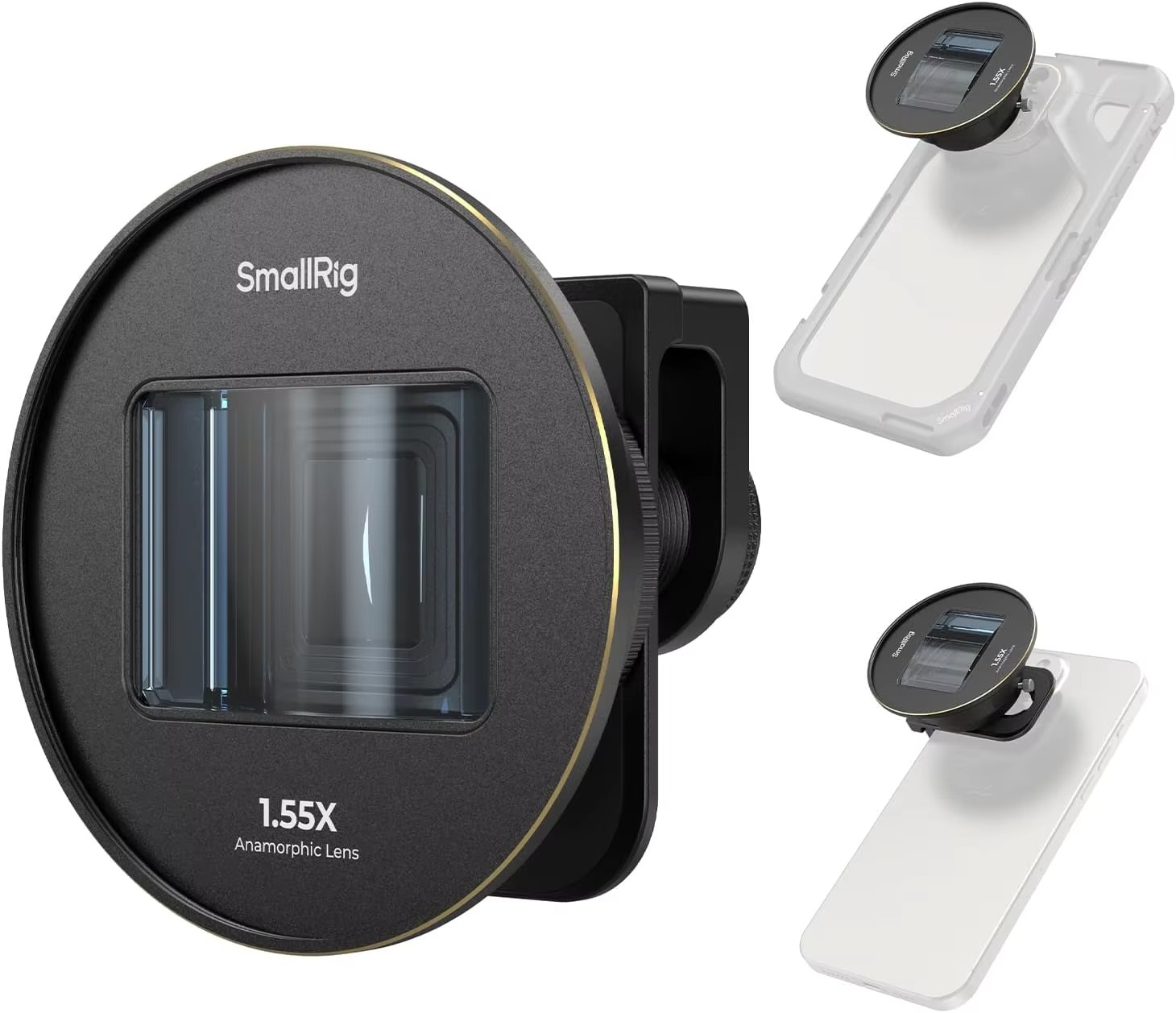
What Is a 1.55x Anamorphic Lens? Squeeze Factor Explained
A 1.55x anamorphic lens squeezes the image horizontally by a factor of 1.55 as it records, so your phone captures a wider field of view than normal. When you stretch (de-squeeze) the footage back by 1.55 in editing, a standard 16:9 video becomes roughly 2.76:1, an ultra-wide cinematic frame, complete with horizontal lens flares and oval-shaped bokeh.
That’s the short answer. Below, the squeeze factor explained step by step, with the math, the look, and how to actually shoot with one on a phone.
What “anamorphic” means
Normal (spherical) lenses project an image onto the sensor in the same proportions as the scene. Anamorphic lenses use cylindrical elements that compress the image horizontally but not vertically. Hollywood adopted the technique so wide widescreen images could fit on standard film frames. The film or digital file looks “squished,” with people appearing tall and thin, until it’s stretched back during projection or editing.
On a phone, an anamorphic add-on does the same job: it squeezes a wider view onto the phone’s 16:9 video frame.
What the 1.55x squeeze factor means
The squeeze factor tells you how much the image is compressed horizontally. With a 1.55x lens, everything in the scene is recorded 1.55 times narrower than it really is. To restore correct proportions, you stretch the width by 1.55 (or squash the height by the same amount).
The math
- Standard phone video is 16:9, which is about 1.78:1.
- Multiply by 1.55: 1.78 × 1.55 ≈ 2.76:1.
- 4K footage at 3840 × 2160 de-squeezed horizontally becomes about 5952 × 2160.
Many creators then crop slightly to 2.39:1, the classic “scope” ratio used for many feature films, or keep the full 2.76:1 for an extra-wide look.
How 1.55x compares to other squeeze factors
- 1.33x: takes 16:9 to about 2.37:1, almost exactly scope, with a subtler anamorphic character.
- 1.55x: a stronger effect with more pronounced oval bokeh and a wider final frame. A popular middle ground for phone filmmakers.
- 2x: the traditional cinema squeeze designed for 4:3 sensors. On 16:9 video it gives a very wide 3.56:1 frame that usually needs heavy cropping.
The anamorphic look: what you actually get
Horizontal flares
Point lights in the frame, such as headlights, street lamps or the sun near the edge, produce long horizontal streaks across the image. The color depends on the lens coating; the Pro 1.55x blue anamorphic lens produces the cool blue streaks associated with sci-fi and night-city footage.
Oval bokeh
Out-of-focus highlights become vertically stretched ovals instead of circles. On phones, the effect is subtler than on cinema cameras because phone sensors have deep depth of field, but you’ll see it with close subjects and distant lights.
Wider field of view
Because the lens squeezes horizontally, you capture more of the scene left to right than the phone’s bare camera would. That’s useful in tight interiors and for landscapes.
Edge characteristics
Anamorphic lenses often show slight barrel distortion and softening toward the frame edges. That “imperfection” is part of the cinematic character.
What an anamorphic lens doesn’t do
- It doesn’t de-squeeze automatically in most phone camera apps. You must de-squeeze in editing or use an app with an anamorphic preview. Editors such as CapCut, VN and LumaFusion can all handle the stretch.
- It doesn’t fix shaky handheld footage, poor lighting or random framing. The cinematic look still depends on composition, movement and color.
- It doesn’t create shallow depth of field on its own. Distance and subject placement matter more.
How to shoot with a 1.55x lens on a phone
- Mount it on the main camera and make sure it’s perfectly level. A tilted anamorphic lens produces diagonal flares and skewed geometry. The Ulanzi 17mm 1.55XT anamorphic lens uses a 17mm thread, so it needs a compatible clip, case or mount plate that holds it square to the camera.
- Disable auto lens switching so the phone stays on the main camera.
- Shoot horizontally in 16:9 at 4K if possible. The extra resolution matters because you’ll crop later.
- Lock focus and exposure. Anamorphic flares can confuse auto exposure.
- Use a pro video app with an anamorphic de-squeeze preview if you can. Seeing the correct proportions makes framing much easier.
- Frame for the final crop. If you’ll finish at 2.39:1, leave a little room at the sides.
- Place practical lights in the scene to trigger flares: lamps, neon, car lights, candles, flashlights.
- Use the 180-degree shutter rule for natural motion blur; in daylight that usually means adding an ND filter.
Audio, stabilization and the rest of the kit
An anamorphic add-on is front-heavy compared with a bare phone, so a gimbal may need rebalancing. Do that before you shoot, not on set. Because the lens makes footage instantly look “bigger,” weak audio becomes even more noticeable; a small clip-on or shotgun microphone keeps the result consistent. Finally, carry a lens cloth: a single fingerprint on the front cylinder turns crisp flares into a hazy glow across the whole frame.
Scenes that suit anamorphic
- Night streets with neon and traffic
- Landscapes and wide horizons
- Car interiors and driving shots
- Music videos with stage lights
- Two-person dialogue scenes where the wide frame holds both faces
- Travel films and wedding highlights
For the full look, combine the lens with color grading, steady movement and good audio. Our guide on getting a cinematic look on your phone covers those pieces.
Quick checklist
- Lens mounted on the main camera, perfectly level
- Auto camera switching off
- 16:9 at 4K, focus and exposure locked
- De-squeeze preview on, or plan to de-squeeze in editing
- Practical lights in frame for flares
- ND filter for daytime 180-degree shutter
- Export with the correct 1.55x stretch
FAQ
What aspect ratio does a 1.55x anamorphic lens give?
From 16:9 phone video, about 2.76:1 after de-squeezing. Many creators crop to 2.39:1.
Is 1.55x better than 1.33x?
Neither is better; 1.55x gives a stronger look and wider frame, while 1.33x lands close to 2.39:1 with less cropping.
Can I use an anamorphic lens for photos?
Yes, but you’ll need to stretch the photos in an editor. Most people use anamorphic lenses mainly for video.
Why does my footage look squished?
That’s normal. The footage must be de-squeezed by 1.55x horizontally in editing or in a capture app.
Ready for widescreen streaks and oval bokeh?
Pick the blue-flare Pro 1.55x or the Ulanzi 1.55XT, and add filters or a wide lens with the Mix & Match – any 3 for $129 offer. See every option in the LensLab shop – free worldwide shipping.